
Category: Sports
Developer: CollX
 Verified App


Features & Highlights
CollX: Sports Card Scanner is a game-changer for sports card enthusiasts, providing an effortless way to manage and evaluate your collection. Here are some of its standout features:
Real Experience Using CollX: Sports Card Scanner
Application Scenarios
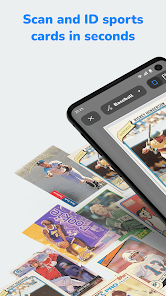
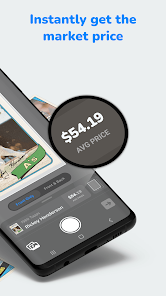
As an avid sports card collector, I find myself using the CollX app in various scenarios. One of the most common is during card shows or flea markets. I love browsing through boxes of cards, and with CollX at my fingertips, I can quickly scan any card that catches my eye. For example, at a recent local card show, I spotted a 1996 Kobe Bryant rookie card. I scanned it, and within seconds, I had its market value and recent sales data displayed on my screen, allowing me to make an informed decision on whether to buy it or not.
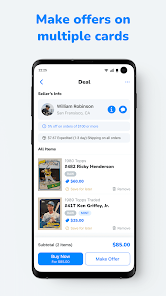
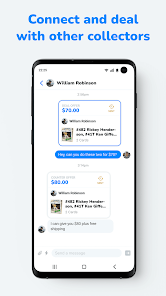
Another situation where CollX proves invaluable is during trades with friends. When someone offers me a trade, I pull out my phone, scan the cards being offered, and instantly compare them with my collection. This not only speeds up the trading process but also ensures that both parties feel satisfied with the deal.
User Experience
The user interface of the CollX app is clean and intuitive. Upon opening, I am greeted with a simple layout that makes navigation a breeze, even for those who may not be tech-savvy. Scanning a card is straightforward; I just align the card within the frame, and the app does the rest. The results come back quickly, often in just a few seconds, which is impressive.
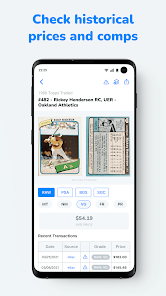
Once the card is scanned, I appreciate how the app provides not just the value but also relevant details, including the card's condition grading and past sales history. This feature is particularly useful as it educates me about the card's significance in the market. Overall, the app's performance is smooth, with minimal lag, and I find myself returning to it frequently, often exceeding my initial expectations for a mobile card catalog.
Pricing
CollX offers a free version that provides basic scanning and collection management features, which is a great starting point for newcomers. However, for more advanced features such as real-time market tracking and additional database access, there is a premium subscription available. The pricing is reasonable, especially considering the value I receive from the app—it's a worthwhile investment for serious collectors like myself.
Updates & Support
The developers of CollX are committed to improving the app continually, as I’ve noticed regular updates that introduce new features and fix bugs. Their support team is responsive and helpful; whenever I had questions about features or encountered issues, I received prompt assistance via email. This level of support has significantly enhanced my overall experience with the app, making me confident in its reliability.
Security & Privacy Review
As an American user, I take security and privacy seriously, especially when using apps that handle personal data. CollX is available on both the App Store and Google Play, which provides a level of credibility and trustworthiness right from the start. The registration process is straightforward, requiring only basic information, allowing me to dive into scanning cards without feeling overwhelmed by excessive personal data requirements.
In terms of ads and tracking behavior, I appreciate that CollX maintains a clean interface without overwhelming me with ads. While the app does collect data to enhance user experience and provide personalized features, I feel comfortable knowing that my information is managed responsibly. Overall, my experience with CollX has been secure, allowing me to focus on my passion for collecting sports cards with peace of mind.

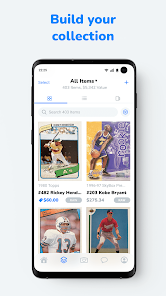
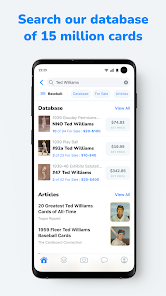
 Instantly scan and catalog your sports cards Access real-time market pricing and trends Quickly identify rare and valuable cards User-friendly interface for all experience levels Secure your collection with cloud backups
 Limited database for accurate card valuations Scanning accuracy can vary by card type User interface may feel cluttered or confusing Slow processing time during peak usage times

It would be 5 star, because I think this is by far the best platform to sell from, but there's a lot of flaws and glitches where it makes it very, very frustrating with the scanner and searching. Plus it just glitching out when you're trying to search for stuff, and you basically got to uninstall and reinstall It. Just had to again this morning. I don't know if it's for android phones or all.
EDIT: Dropping it to a 1 star. honestly wouldn't use it at all, I paid for the full year to scan more cards into my account. the "updates" are not helping with the bugs and or even the labeling of the cards. I'm even having issues looking at my own cards. Not happy at all with the product. only reason I still have it is because I've already downloaded so many cards. ebay is the way to go in my opinion
Barely ever recognizes cards once scanned. Even searching for the cards manually takes forever. The search feature is horrible. Updated pricing from eBay is inconsistent and extremely innacurate. Weeks later, and it just gets worse. Now, when I scan a card with my camera, it subs in another card and not my pics. This can't be corrected. Says there are no recent sales or comps on PSA 10 Topps Ohtani cards. That's ridiculous. Has been giving me ridiculous comps lately. I'll be selling this appsoon
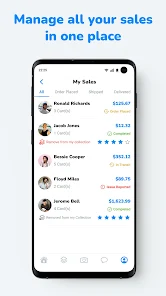
Had to change my review. Not as good as I thought. SO MANY APP GLITCHES! All of the cards I had liked disappear every few months, the scanner doesn't usually work and scan+ is 10× worse, search bar doesn't work every few months, and a handful more of small problems. It's getting really annoying. However I do love the community and I have 1,000s of sales. Also, I'd love it if CollX would add a way to write a review instead of just a 1-5 star rating. Thanks for listening to me whine and complain😂
Scanning is great when it works but periodically it will go through periods of time in which no matter what you attempt to scan, it will be unable to recognize the card. It almost feels like whatever AI they're feeding the cards to on the back end it hitting a token limit for a period of time and cutting off access. Otherwise when it does work the app is great.
Review Source: Google Play store public user reviews.
CollX: Sports Card Scanner may collect some personal data as outlined in its privacy policy, primarily to enhance user experience and improve app functionality.
Yes, CollX: Sports Card Scanner offers a free version that allows users to access basic features, along with limited functionalities for card scanning and valuation.
Yes, CollX: Sports Card Scanner requires an internet connection to access its features, including scanning cards and retrieving their valuations.
You can contact support or send feedback for CollX: Sports Card Scanner through the app’s help section, or by visiting their official website for additional contact options.
You can manage or cancel your CollX: Sports Card Scanner subscription through the app settings on your device or via the app store where you initially subscribed.
You can reach CollX customer service through the app's settings or their official website for support inquiries.
The customer service number is typically listed in the app under the help or support section.
Open the app, click on 'Log In,' and enter your registered email and password.
Activation is usually automatic upon logging in, but check the app's settings for any activation options.
New:🛡️ Shipping Protection with Vertical Insure:• Protect your shipments Shipping Protection. Affordable coverage now works across every CollX shipping tier, from Standard CollX Envelope to UPS, FedEx, and the rest of the new upgrade options.










 Google Play
  App Store