Category: Finance
Developer: Block, Inc.
 Verified App



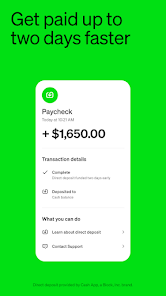
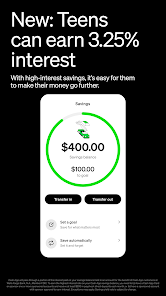
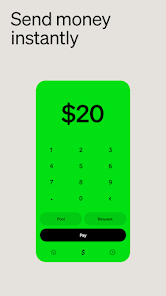
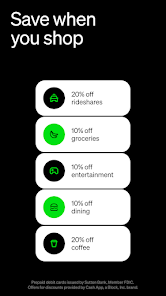
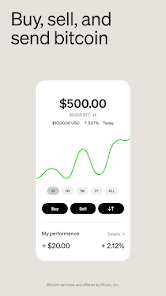
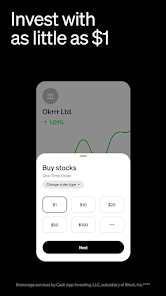
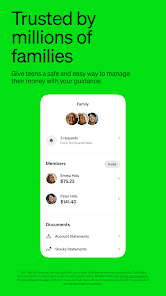
Cashapp is a great tool for managing your finances. It's easy to use and has all the features you need to stay on top of your spending. The budgeting feature is especially helpful in keeping track of where your money goes each month. The app is also great for sending money to friends and family, or paying bills online. Overall, Cashapp is a must-have for anyone looking to better manage their finances.
Features & Highlights
CashApp has quickly become one of the most popular financial apps on the market, thanks to its user-friendly interface and a host of powerful features. Here are some of the standout highlights that make CashApp a go-to choice for many users:
Real Experience Using CashApp
Application Scenarios
Using CashApp in my daily life has been a revelation. I remember a weekend when my friends and I decided to throw a small gathering at my place. As usual, someone had to take charge of ordering pizza and drinks. Instead of fumbling with cash or waiting for everyone to settle up later, I simply sent a request through CashApp for my friends to chip in. Within minutes, I had all the funds transferred to me. This kind of convenience is something I now take for granted.
Another scenario was when I needed to pay for a last-minute concert ticket. The seller was only accepting payment via CashApp, and I was able to send the money instantly, securing my spot. It’s these little moments where CashApp shines, allowing for quick and easy transactions without any fuss.
User Experience
The user interface of CashApp is one of its strongest selling points. Upon opening the app, I am greeted with a clean and intuitive layout. The navigation is straightforward, making it easy to find what I need. Whether I'm sending money, checking my balance, or exploring the investment options, everything is just a few taps away. The app's performance has been smooth; I haven't experienced any lag or crashes, which is a significant plus for me.
CashApp's feature workflow is incredibly efficient. For instance, sending money is as simple as entering the amount, choosing a recipient from my contacts, and hitting send. I appreciate that I can add a note for reference, which helps me keep track of my transactions. Overall, my experience has been positive; I feel empowered to manage my finances in a way that feels modern and accessible.
Pricing
CashApp is free to download and use, which is a huge draw for many users. They make money through optional services like instant transfers, which can incur a fee, as well as through the Cash Card. However, I’ve found that I can use the app effectively without incurring any costs. The transparency around fees is refreshing, and I appreciate that I’m not hit with hidden charges.
Updates & Support
CashApp frequently rolls out updates that improve features and security, which keeps me feeling secure while using the app. Their support system is decent; when I had a minor issue, I reached out via the in-app chat feature and received a response relatively quickly. This level of customer service adds to my confidence in using the app for my financial needs.
Security & Privacy Review
As a regular user of CashApp, security and privacy are top concerns for me, especially given the sensitive nature of financial transactions. CashApp is available on both the App Store and Google Play, ensuring that it is regularly updated and monitored for any vulnerabilities. During registration, I was required to provide basic personal information such as my name, email, and phone number, which is standard for financial applications.
CashApp employs security features like two-factor authentication to protect my account, which gives me peace of mind when making transactions. I’ve also noticed that the app does not bombard me with ads or excessive tracking behavior, which is refreshing in a market where many apps prioritize advertising revenue. Overall, I feel confident in CashApp's commitment to safeguarding my financial information while providing a seamless user experience.

 Instant money transfers to friends and family User-friendly interface for seamless navigation No hidden fees for most transactions Ability to buy and sell Bitcoin easily Cash Card offers discounts at popular retailers
 Limited customer support options available. Transaction limits can be restrictive. Security features may not satisfy all users. No access to cryptocurrency withdrawal options.
  Google Play
  App Store

Add a choice verification when using the cash out function. Lost money because of a mistake, was expecting a chance to undo it but it didn't exist. just wanted to edit this now that it has been years later. if I could avoid this app I would but many people are still choosing this one for some reason. The issue I complained about is still an existing one. All I wanted is a confirmation window when you press the transfer option for if you choose standard (several day wait time) or instant (fee).
The app has been so glitchy for the past few days. I have two different accounts...one for business and one for personal. When I'm in my personal account and attempt to sign out, I tap/push the "sign out" option and nothing happens. I have to uninstall/reinstall every time and that is both annoying and not efficient. I also have been having issues signing in from different accounts...when I tap the username, it just spins forever and never actually brings me to the next menu. Very glitchy.
Absolute joke of an app. It's blocking all my debit cards from transferring funds and now it won't even let me add another debit card to try. They sponsor presales then won't even let you add funds to do the presale. Also no way for them to override the block when you contact support to verify it's your card and your account. Genuinely beyond frustrating.
I'm not sure what's changed recently, but all of a sudden my Cash App isn't being accepted at many restaurants & MANY online retailers, including Walmart gas stations. On top of that, Cash App has now multiple times prevented me from making a payment & hit me with the 'Something went wrong with your withdrawal'. It's becoming way more of a pain than it's worth.
Had a talk with support, did not go well. Don't use the broad incentives, when something goes wrong they just give you scripted lines, automated messages and have no idea what's going on. They "log it" because "That's not supposed to happen" and embed in a long winded message that they can't help you after they said they will. I will not use this app this much anymore, I pulled my stocks, bitcoin, and savings. they won't get much more business out of me anymore.
Review Source: Google Play store public user reviews.
Yes, CashApp collects personal data such as your name, email address, phone number, and financial information to facilitate transactions and improve the service.
CashApp does not offer a free trial, but it is free to download and use for basic money transfer services.
Yes, CashApp requires an internet connection to send or receive payments and access its features.
You can contact CashApp support through the app by navigating to the "Profile" section and selecting "Cash Support," or you can visit their website for additional help and feedback options.
You can manage or cancel any CashApp subscription by going to your account settings within the app and following the prompts for managing subscriptions.
You can reach Cash App customer service through the app by tapping on your profile icon, selecting "Cash Support," and then "Contact Support." You can also visit their website for further assistance.
To activate your Cash App card, open the app, tap on the card icon, and select "Activate Cash Card." Follow the instructions, either by scanning the QR code or entering the card details manually.
Open the Cash App, enter your registered email or phone number, and then input the sign-in code sent to you. Follow the prompts to access your account.
Cash App does not offer customer service via phone. All support is provided through the app or their official website. Be cautious of any phone numbers claiming to be Cash App.
Various bug fixes and improvements.