
 Home
Home  Apps
Apps  Games
Games  Windows
  Terms of Service
  Cookies & Privacy Policy
  About us
Epson iPrint
Version: 7.12.7
Developer: Seiko Epson Corporation
 Verified App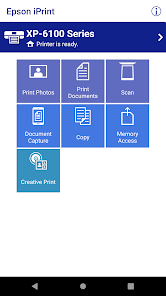


The Epson iPrint mobile app makes it easy to print photos, documents, and web pages from your smartphone or tablet. You can even scan directly to your device. Epson iPrint is available for iOS, Android, and Windows devices. To get started, download the app from the App Store, Google Play, or the Windows Store.
Features & Highlights
Epson iPrint is a versatile application designed to enhance your printing experience from mobile devices. Here are some core features that truly stand out:
Real Experience Using Epson iPrint
Application Scenarios
Everyday life presents countless opportunities to utilize the Epson iPrint app. For instance, I often find myself needing to print documents for work while I’m on the go. Whether I'm at home, coffee shops, or even traveling, the ability to print wirelessly from my smartphone has been a game-changer. One time, I was at a friend's house preparing for a project presentation. I realized I needed to print out some last-minute notes and, with just a few taps on the app, I was able to send them directly to my Epson printer without any hassle.
User Experience
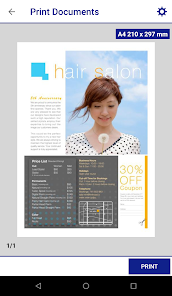
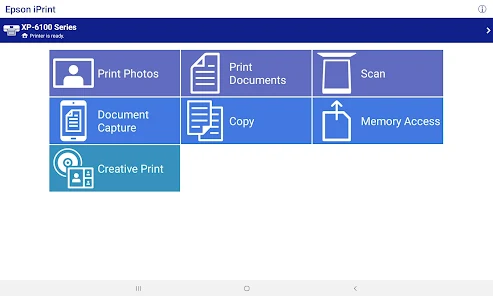
The user interface of Epson iPrint is intuitive and user-friendly. Upon opening the app, you’re greeted with a clean layout that makes navigation a breeze. The workflow is straightforward; you can easily select what you want to print, whether it’s documents or photos, and adjust settings like paper size and print quality. Performance-wise, I’ve found the app to be quite responsive—printing jobs are processed quickly, and the quality of prints is consistently impressive. Overall, using the Epson iPrint app feels seamless and efficient, transforming what used to be a cumbersome process into something enjoyable.
Pricing
Epson iPrint is free to download and use, which is a huge plus for anyone looking to streamline their printing tasks without incurring additional costs. While there are no hidden fees associated with the app, users may need to consider the price of ink and paper, which will ultimately depend on their printing habits.
Updates & Support
The Epson iPrint app receives regular updates that enhance functionality and improve user experience. I’ve noticed that updates often bring new features that reflect user feedback, which shows that Epson values its customers. Additionally, their customer support is quite responsive—whenever I had questions, I was able to reach out via their website or customer service number and received prompt assistance.
Security & Privacy Review
As an American user, security and privacy are paramount when using mobile applications. Epson iPrint is available to download from official app stores, including the App Store and Google Play, which adds a layer of trust. Upon registration, the app requires some personal data, such as your email address, but it does not demand excessive information that could compromise your privacy.
Regarding ads and tracking behavior, I’ve noticed that the app does not bombard me with ads while using it. However, it does collect usage data to improve functionality, which is common among many apps. Epson is transparent about their data collection practices, and they do provide options to manage your privacy settings, giving users control over what information they share.
Pros 
-
 Experience seamless printing
 - Print from anywhere easily
- Support for various file types
- User-friendly interface design
- Access to cloud services
Cons 
-
 Limited printer compatibility
 - Slow printing speed sometimes
- Occasional connectivity issues
- User interface can be clunky
Get Installation Details  Google Play
  App Store
Google Play App Store FAQ
1
Can I submit suggestions or feedback to Epson iPrint?
Yes, users can submit feedback and suggestions through the app’s support section or the Epson website.
2
Does Epson iPrint collect my personal data?
Epson iPrint may collect usage data and device information, but it adheres to privacy regulations to protect user data.
3
Does Epson iPrint support offline use?
Epson iPrint requires an internet connection for certain features but can print from local files without being online.
4
How do I cancel my Epson iPrint subscription?
Since Epson iPrint is free, there is no subscription to cancel. You can uninstall the app anytime.
5
How much does a subscription to Epson iPrint cost?
Epson iPrint does not have a subscription model; it is free to use, with optional in-app purchases for additional features.
How to use Epson iPrint
1
How can I contact Epson customer service for assistance with the iPrint app?
You can contact Epson customer service through their official website or by calling their support number found in the app or on the printer’s documentation.
2
How do I log in to the Epson iPrint app?
Open the app and enter your Epson account credentials, or create a new account if you don't have one. Follow the on-screen prompts to log in.
3
Is there any activation process required for the Epson iPrint app?
Generally, no activation is needed; simply download the app and log in. Some features may require an Epson account.
4
What is the customer number for Epson support regarding the iPrint app?
The customer number varies by region; check the Epson website or the app for the specific support number for your area.
Top Apps










Similar Apps

Google Family Link
Google LLC

4.5

Epson iPrint App
Seiko Epson Corporation
4.6

My Boost
1

YI IoT
Kami HK
3.1
Brother iPrint&Scan
Brother Industries, Ltd.
3.1

My BT
BT Group PLC
3.3

Copy My Data: Transfer Content
Red Sky Labs
4.3

Cocomelon
1

Calculator App
Google LLC
4.1

Microsoft Word App
Microsoft Corporation
4.1

Microsoft Word: Edit Documents
Microsoft Corporation
4.8

McDonald's
McDonald's Apps
2.4


