Version: 5.8.00_19953
Developer: Anker
 Verified App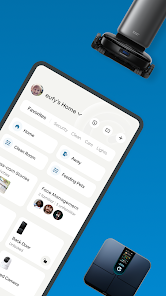
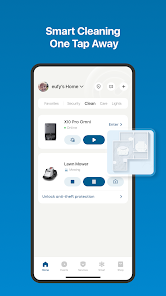
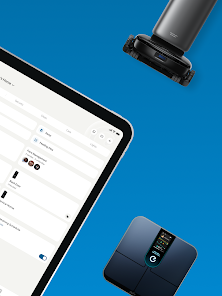
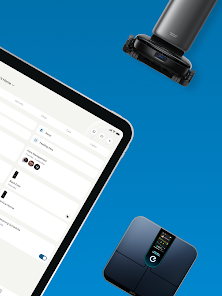
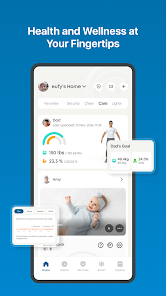
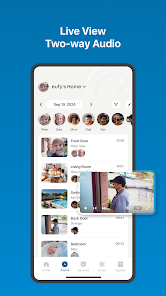
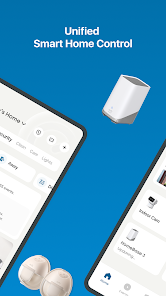
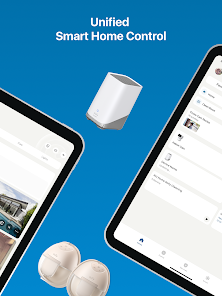
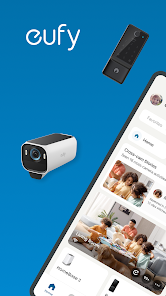
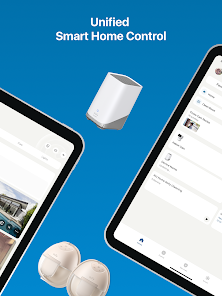
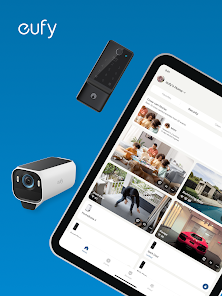
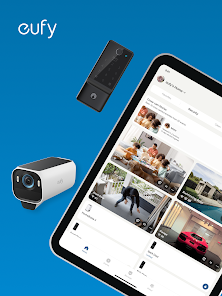
The eufy Security Mobile App is a great security tool for your home. It gives you the ability to remotely arm and disarm your system, view live video footage, and receive real-time alerts if there is any activity detected by your sensors. You can also use the app to manage your account settings and contact customer support. Overall, we found the app to be user-friendly and comprehensive, and it is a great option for those looking for a reliable home security solution.
Features & Highlights
Real Experience Using eufy Security
Application Scenarios
In my daily life, the eufy Security app has become an indispensable tool for managing the safety of my home. I often use it when I’m away on vacation. Having the ability to check in on my property from anywhere gives me peace of mind. On one occasion, I was on a week-long trip when I noticed unusual movement captured by my security camera. The app allowed me to quickly assess the situation, providing reassurance that everything was fine.
Additionally, I utilize the app frequently when I’m at work. I can easily check in on my pets and home, ensuring they are safe and sound. Just last week, I had a contractor at my house to perform some repairs, and I monitored his work through the live streaming feature, making sure everything was going smoothly without having to be physically present.
User Experience
The user interface of the eufy Security app is incredibly intuitive. Upon opening the app, I was greeted with a clean layout that made navigation a breeze. All features are easily accessible, and I appreciate how quickly I can switch between live feeds and notifications. The setup process was straightforward; I was able to connect my devices without any hiccups. The app's performance has been consistently smooth, with minimal lag when streaming video. This efficiency has made me feel more secure, knowing that I can rely on it in real-time situations.
Another aspect I love is the customization options available. I could easily adjust the sensitivity of motion detection to avoid false alarms from passing cars or neighborhood pets. Overall, using the eufy Security app has been a seamless experience that enhances my home security without feeling overwhelming.
Pricing
The pricing structure for eufy Security is quite reasonable, especially considering the features offered. The initial cost of the cameras and devices is competitive compared to other brands on the market. Additionally, eufy offers optional cloud storage plans that are affordable and provide peace of mind without breaking the bank. Overall, I find the investment worthwhile for the level of security they provide.
Updates & Support
I have been impressed with the frequency and quality of updates from eufy Security. The app regularly receives enhancements that improve functionality and introduce new features. Customer support is also commendable; I had a minor issue with one of my devices, and their support team was responsive and helpful. They provided step-by-step guidance, which made troubleshooting a breeze. This kind of support inspires confidence in their products.
Security & Privacy Review
As an American user, security and privacy are paramount when choosing a home security system, and eufy Security addresses these concerns well. The app is available on both the App Store and Google Play, making it easily accessible. Registration does require personal data, such as an email address, but I appreciate that they do not require extensive personal information, which is often a red flag with other services.
Importantly, eufy Security does not bombard users with ads or engage in invasive tracking behavior. I’ve noticed that my experience with the app remains focused solely on home security, without unnecessary distractions. This commitment to user privacy is reassuring and a significant factor in my overall satisfaction with the app. I feel that my data is handled responsibly, allowing me to enjoy the benefits of modern technology without compromising my privacy.

 Eufy Security offers robust, high-definition video surveillance for clear monitoring. Enjoy easy installation with no monthly fees for peace of mind. Advanced AI technology reduces false alerts by recognizing familiar faces. Access live feeds and recorded footage from anywhere via the app. Durable design ensures reliable performance in various weather conditions.
 Limited integration with third-party smart home devices limits usability. Occasional connectivity issues can disrupt monitoring and alerts. Lacks advanced features like facial recognition and cloud storage options.
  Google Play
  App Store
 Yes, users can submit suggestions or feedback through the app's support section or by contacting customer service directly.
eufy-original eufy Security may collect personal data such as account information and usage data, but it adheres to privacy standards and policies to protect user information.
Yes, eufy-original eufy Security can be used offline for certain features, such as accessing stored video footage, but real-time functionality requires an internet connection.
You can cancel your subscription through the app settings or your app store account settings, depending on how you subscribed.
Subscription costs vary based on the plan selected, with options for monthly or yearly payment that provide additional cloud storage and features.
Yes, you can update your customer number by going to your account settings in the eufy app.
You can reach eufy customer service via the support section on our website or by calling the customer support number listed there.
You can contact customer service through the eufy website or by calling the dedicated support number for assistance with account activation.
To activate your account, download the eufy Security app, create an account, and follow the on-screen instructions to complete the activation.
To log in on a new device, download the eufy Security app, enter your registered email and password, and you’ll gain access to your account.