Version: 3.1.17
Developer: Ocearch.org
 Verified App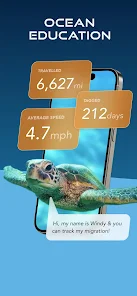
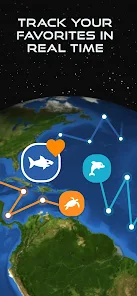



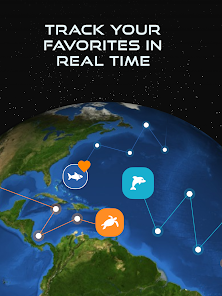
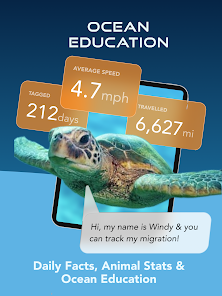
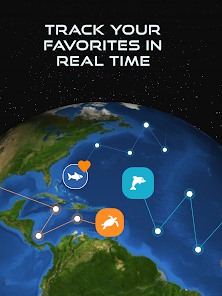
The OCEARCH Shark Tracker is an incredible tool that allows us to track the movements of sharks in real time. By tagging sharks with GPS devices, we are able to follow their every move and learn more about their behavior and habits. This information is vital for conserving these amazing creatures and ensuring their survival for future generations.
Features & Highlights
The OCEARCH Shark Tracker app offers a unique blend of features that cater to both marine enthusiasts and science aficionados. Here are some of the core highlights:
Real Experience Using OCEARCH Shark Tracker
Application Scenarios
As an avid beachgoer and marine life enthusiast, the OCEARCH Shark Tracker app has become an indispensable part of my routine. One sunny Saturday, my friends and I decided to hit the beach. Before we left, I checked the app to see if there were any sharks reported near our intended spot. The real-time tracking feature allowed me to make an informed decision, which ultimately provided peace of mind for everyone involved.
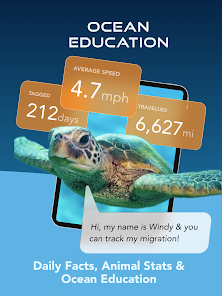
During my family vacations, I’ve used the app to turn simple beach days into educational adventures. While my kids splashed in the surf, I’d pull out the app to show them where sharks were migrating and share fascinating facts about each species. This way, we could enjoy the beach while respecting the wildlife that inhabits those waters.
User Experience
The UI of the OCEARCH Shark Tracker is sleek and user-friendly, which makes navigation effortless even for those who aren’t tech-savvy. The main dashboard provides a quick overview of tracked sharks and their recent movements. I appreciate how the app is designed with a minimalistic approach, ensuring that unnecessary clutter doesn’t distract from the core functionalities.
Feature workflow is seamless; I can easily toggle between the map view and individual shark profiles. The real-time updates load quickly, allowing me to stay informed without any lag—a crucial factor when I’m out and about. Overall, my experience using the app has been positive, making me feel more connected to marine life while also ensuring my safety during beach outings.
Pricing
The OCEARCH Shark Tracker app is free to download, making it accessible for anyone interested in marine conservation and shark tracking. While there are no hidden fees or subscriptions, I would gladly pay for premium features if they ever become available, as the app has provided me with invaluable insights and peace of mind during my beach excursions.
Updates & Support
OCEARCH frequently updates the app, ensuring that users have access to the latest shark tracking data and educational resources. I’ve noticed improvements in app performance and usability with each update, which enhances my overall experience. Additionally, the support team is responsive, and I had a great experience reaching out with a question about a tracking feature; they got back to me within a day!
Security & Privacy Review
When it comes to security and privacy, the OCEARCH Shark Tracker app offers reassurance to American users. The app is available on both the App Store and Google Play, which adds a layer of legitimacy and trustworthiness. I found that registration is straightforward, requiring minimal personal data—just an email address for account creation, which is a significant plus in today’s privacy-conscious world.
There are no intrusive ads or excessive tracking behavior detected while using the app, which is often a concern with free applications. This makes me feel more secure while using the app, as my browsing habits and personal information aren't being exploited for advertising purposes. Overall, OCEARCH Shark Tracker strikes a commendable balance between providing valuable features and maintaining user privacy.

 Access real-time data on shark movements for safer ocean activities. Contribute to vital research efforts to protect shark populations and marine ecosystems. Engage with a global community passionate about shark conservation and awareness. Track individual sharks to learn about their behavior and migration patterns. Experience interactive mapping that enhances understanding of oceanic wildlife dynamics.
 Limited coverage area may miss important shark migration patterns Data may not be real-time, affecting timely insights User interface can be confusing for non-technical users Reliance on tagged sharks limits understanding of untagged populations
 OCEARCH Shark Tracker™ may collect certain user data to enhance user experience and improve app functionality, but it is committed to user privacy and data protection. Always check the privacy policy for specifics on data collection.
OCEARCH Shark Tracker™ is available for free, allowing users to track sharks and access various features without any initial cost. Some premium features may require a subscription.
Yes, OCEARCH Shark Tracker™ requires an internet connection to access real-time tracking data and updates. However, some educational resources may be available offline once downloaded.
You can contact support or send feedback through the app by accessing the support section or visiting the official OCEARCH website, where you can find contact information for customer service.
You can manage or cancel your subscription directly through the app store on your device (Apple App Store or Google Play Store) where you initially subscribed. Follow the instructions provided to modify your subscription settings.
You can contact customer service through the app's support section or visit their website for assistance.
The customer number can typically be found in the app's settings or help section.
Open the app and enter your credentials on the login screen, or use social media accounts for quick access.
The app does not require activation; simply download it and start using it.












 Google Play
  App Store