
Version: 15.6.4
Developer: Remind101
 Verified App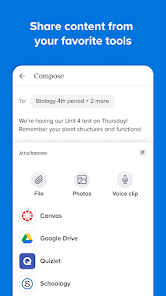
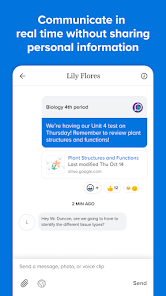
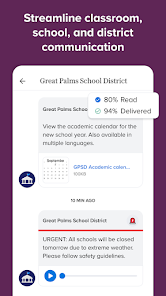
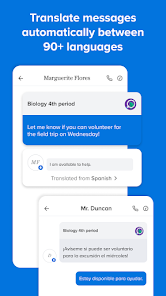
Remind is a mobile app and website that helps teachers, students, and parents communicate quickly and efficiently. It allows teachers to send messages to students and parents, and students and parents to send messages to teachers. It also allows teachers to create groups for classes, teams, or clubs, and send messages to the entire group at once. Remind is a great way to keep everyone in the loop and ensure that everyone is on the same page.
Features & Highlights
Real Experience Using Remind: School Communication
Application Scenarios
Using Remind has become an integral part of my daily routine, especially during the school year. Every morning, I check the app for any updates from my children's teachers. Recently, there was a sudden weather change that prompted the school to cancel an outdoor field trip. Thanks to Remind, I received a notification within minutes, allowing me to adjust my plans for the day. Additionally, I often communicate with other parents through the group messaging feature, which has proven invaluable for coordinating carpool arrangements or sharing notes from missed classes.
User Experience
Navigating the Remind app is a breeze. The user interface is clean and intuitive, making it easy to send messages, check for updates, and access shared files. I appreciate how seamless the workflow is; for instance, when I want to send a message to my child's teacher, I can do so in just a few taps. Notifications are prompt, and I rarely miss important messages. The performance of the app has been solid; it rarely crashes and loads quickly, even when I’m on the go. After using Remind for several months, I feel more connected to my kids’ educational journeys, and it has genuinely eased the stress of managing school communication.
Pricing
Remind is free to download and use, which is a significant advantage for parents and educators alike. While there are some premium features available through Remind’s subscription service, the basic functionalities cover most needs effectively. I appreciate that the app remains accessible to everyone without the burden of additional costs, allowing all families to stay connected with their children’s education.
Updates & Support
The app receives regular updates that enhance its functionality and improve user experience. I’ve noticed improvements in the messaging capabilities and minor tweaks in the UI that make navigation even smoother. Additionally, Remind provides a robust support system, including a comprehensive FAQ section and customer service options. Whenever I’ve encountered an issue, the support team has been quick to respond, ensuring that users feel valued and heard.
Security & Privacy Review
As a parent, security and privacy are paramount when using any educational app. Remind is available on both the App Store and Google Play, which ensures that users can download it from a trusted source. Registration requires minimal personal data, primarily focusing on user roles (teacher, student, parent), which I find reassuring. The app does not display intrusive ads, nor does it engage in excessive tracking behaviors that could compromise user privacy. Instead, the focus remains on facilitating communication between educators and families. Overall, I feel secure using Remind, knowing that my family’s information is treated with respect and caution.

 Enhances parent-teacher communication effectively Supports real-time updates and announcements Encourages student engagement and participation Simplifies scheduling and event coordination Offers easy access to resources and information
 Limited customization options for messages User interface can be confusing Notifications may overwhelm parents and students Reliance on internet access for functionality
 Yes, Remind: School Communication may collect personal data such as names, email addresses, and phone numbers to facilitate communication, but it follows strict privacy policies to protect user information.
Yes, Remind: School Communication offers a free version that includes basic messaging features, allowing users to communicate without a subscription.
Yes, Remind: School Communication requires an internet connection to send and receive messages and updates in real-time.
You can contact support or send feedback for Remind: School Communication by visiting their help center on their website or using the support feature within the app.
You can manage or cancel your Remind: School Communication subscription through your account settings within the app or website, where you can also find options for changing your plan.
You can contact Remind customer service through their help center at help.remind.com or by emailing support
You activate your account by following the link sent to your email after registration. Click the link to confirm and set up your account.
Remind does not have a specific customer number; you can reach support through their website or email.
Go to the Remind website or app, enter your email or phone number, and password, then click 'Log in.'













 Google Play
  App Store