
Version: 9.2445.0
Developer: Shopify Inc.
 Verified App
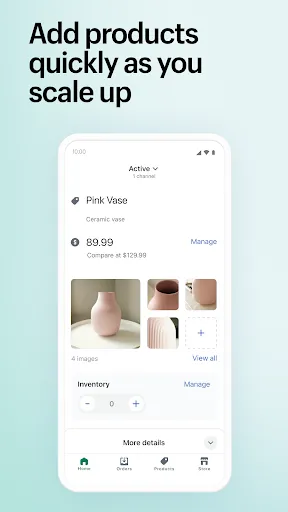


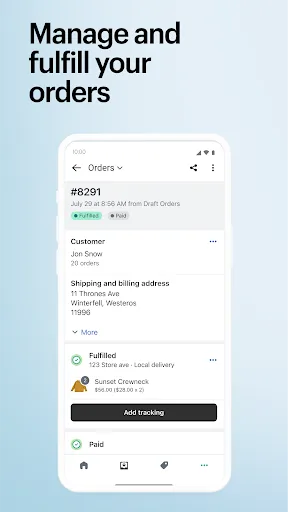
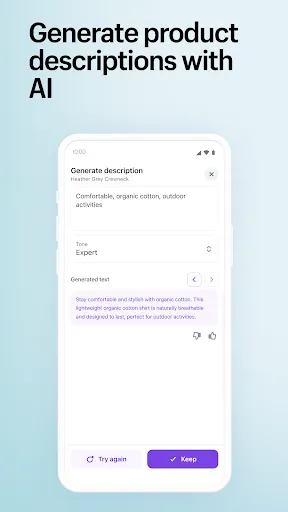
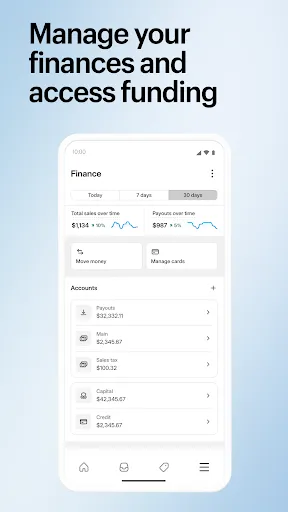
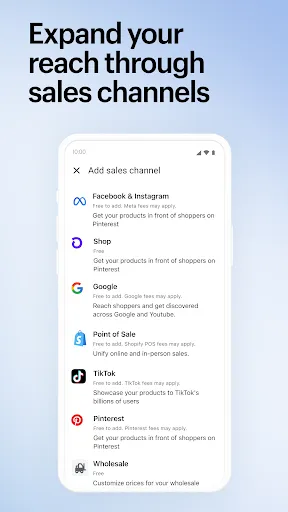
Shopify App is a software application that integrates with the Shopify platform and adds additional features and functionality to an online store. Shopify App developers create these apps to help store owners manage their businesses more efficiently and effectively. Some examples of Shopify Apps include inventory management tools, email marketing platforms, and customer relationship management systems. Shopify App developers can create and sell their apps on the Shopify App Store, where store owners can browse and purchase the apps that best meet their needs.
Features & Highlights
Shopify stands out as a robust e-commerce platform that caters to entrepreneurs and businesses of all sizes. Its user-friendly interface combined with powerful features makes it a popular choice among online retailers. Here are some of the core features that define Shopify:
Real Experience Using Shopify
Application Scenarios
As someone who recently started an online business, my daily use of Shopify has been a game-changer. I use the app not only for managing my store but also for tracking sales, inventory, and customer interactions. Each morning, I log in to check my sales dashboard, which provides a quick overview of my store's performance. Throughout the day, I add new products, adjust pricing, and monitor customer inquiries using the integrated chat feature. On weekends, I often spend time customizing my site, experimenting with different layouts and promotional banners to keep my storefront fresh and engaging.
User Experience
The Shopify user interface is incredibly intuitive. Navigating through the dashboard feels seamless, whether I'm on my laptop or using the mobile app. Each feature is laid out clearly, making it easy to find what I need. Adding products is straightforward; I simply fill in the product details, upload images, and set up shipping options. I've also found the performance to be reliable — my store loads quickly, and I haven't encountered any technical issues. Overall, my experience with Shopify has been positive, as it allows me to focus on growing my business rather than getting bogged down by technical challenges.
Pricing
Shopify offers several pricing tiers, starting from $29 per month for the Basic plan. For a small business like mine, this plan has everything I need to get started, including a secure online store and customer support. As my business grows, I plan to explore higher tiers that offer advanced features like professional reports and lower transaction fees. The value I receive from Shopify is well worth the investment, especially considering the potential for increased sales.
Updates & Support
Shopify frequently updates its platform, continuously adding new features and improving existing ones. I appreciate how the company listens to user feedback and implements changes that enhance the overall experience. Their customer support is also commendable — I once reached out for assistance with a shipping issue and received a prompt response from a knowledgeable representative. The availability of resources, including tutorials and community forums, makes it easy for users to find solutions independently as well.
Security & Privacy Review
As an American user, security and privacy are paramount when it comes to online transactions. Shopify is available on both the App Store and Google Play, which adds a layer of reassurance regarding its credibility. Upon registration, Shopify requires basic personal data, including your email, name, and payment information, which is standard for e-commerce platforms. The app employs robust security measures, such as SSL certification and PCI compliance, ensuring that sensitive information is protected. I appreciate that Shopify does not use intrusive ads or overly aggressive tracking behavior, allowing me to focus on my business without worrying about my data being misused. Overall, I feel confident using Shopify, knowing that my information and my customers' data are secure.

 Easy-to-use interface allows anyone to create a store quickly. Extensive app marketplace enhances functionality and customization options. Secure payment processing builds trust with customers and protects transactions. Responsive themes ensure your store looks great on any device. 24/7 customer support helps resolve issues whenever they arise.
 Limited customization options may restrict unique branding opportunities. Higher transaction fees can reduce overall profit margins. Dependence on third-party apps may increase complexity and costs.
  Google Play
  App Store
 Yes, users can submit suggestions or feedback through the app's support section or via Shopify's official channels to help improve the app and its features.
Shopify - Your Ecommerce Store collects certain personal data to facilitate transactions and improve user experience, but it adheres to strict privacy policies to protect user information.
Yes, Shopify - Your Ecommerce Store supports offline use, allowing users to manage their stores and process transactions even without an internet connection, with data syncing once the connection is restored.
You can cancel your subscription by accessing your Shopify account settings through the app or the Shopify website, where you'll find the option to manage or cancel your plan.
Subscription costs vary depending on the chosen Shopify plan, with different tiers offering various features and pricing options to suit different business needs.
Customer numbers cannot be changed, but you can reach out to customer support for specific inquiries related to your account.
Yes, our customer service team can assist you with any account activation issues you may encounter.
You can reach our customer service team via the Help Center or by emailing support
To activate your Shopify account, check your email for an activation link and follow the instructions provided.
To log in, go to your Shopify store URL followed by /admin and enter your credentials.