
Category: News & Magazines
Developer: SmartNews, Inc.
 Verified App





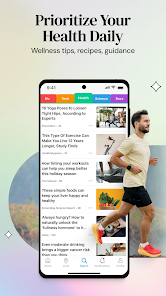



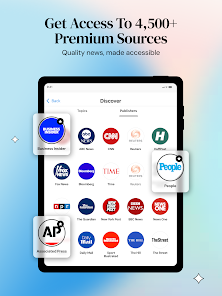
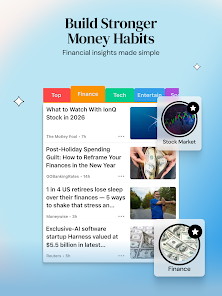
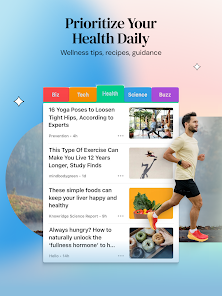
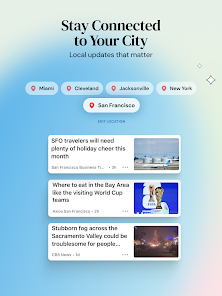
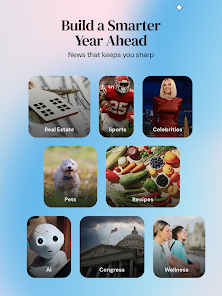
SmartNews is a free reference app that delivers the freshest & lastest news from thousands of publishers. This app finds and organizes these stories for you, making it easy for you to find an article about any topic. It also makes it easier for you to find out new topics and media sites. The app features a simple and intuitive design and allows you to get access into content with or without an active internet connection available.
Features & Highlights
SmartNews: Local Breaking News is more than just a news aggregator; it's a tailored experience that keeps you informed in a fast-paced world. Here are some of the app's standout features:
Real Experience Using SmartNews: Local Breaking News
Application Scenarios
As someone who thrives on staying updated with current events, SmartNews has integrated seamlessly into my daily routine. Every morning, I brew my coffee and scroll through the app while waiting for my toast to pop up. It’s become my go-to source for everything from politics to sports. One Sunday, while enjoying a lazy afternoon, I noticed a breaking story about a local charity event in my town. I quickly shared the article with friends on social media, sparking a lively discussion about our community’s involvement.
Another scenario where SmartNews shines is during travel. Last month, I took a trip to a new city, and I relied heavily on the local news feature. I was able to discover events happening in the area and even learned about a festival that coincided with my visit. This feature not only enhanced my travel experience but also kept me connected to the local vibe.
User Experience
SmartNews delivers a smooth user experience from the get-go. The app's interface is clean and intuitive, allowing me to navigate effortlessly between different news categories. Upon opening the app, I am greeted with a well-organized layout that highlights trending stories, local news, and personalized recommendations. Swiping between sections feels fluid, with articles loading quickly and smoothly.
The feature workflow is straightforward. For example, if I come across an intriguing article, I can bookmark it with a simple tap and return to it later. The app’s performance is noteworthy, as I have not encountered any crashes or significant delays during my usage. Overall, my experience with SmartNews has been overwhelmingly positive; it feels like having a personal news assistant right in my pocket.
Pricing
One of the best things about SmartNews is that it is completely free to download and use, making it an accessible choice for anyone looking to stay informed without breaking the bank. There are no hidden fees or subscriptions required, which I appreciate as a user. The app operates on an ad-supported model, but the ads are not overly intrusive, allowing for a pleasant reading experience.
Updates & Support
SmartNews frequently rolls out updates to enhance the user experience and fix any bugs. I’ve noticed improvements in loading times and additional features being introduced over the past few months. The customer support is responsive as well; when I had a minor issue, I reached out via their support page, and I was pleasantly surprised by the quick turnaround time for a resolution. It’s reassuring to know that the developers actively listen to user feedback and work towards providing a better experience.
Security & Privacy Review
As an American user, I am particularly mindful of my security and privacy when using apps like SmartNews. The app is available on both the App Store and Google Play, ensuring that it adheres to the security protocols established by these platforms. When registering for the app, I was not required to provide excessive personal information—just my email, which is a good sign for those wary of data mining.
Regarding ads and tracking behavior, SmartNews does use ads to support free access to information; however, I have found them to be non-intrusive and relevant to my interests. The app also provides options to manage your privacy settings, allowing users to control what data they share. Overall, I feel that SmartNews takes user privacy seriously, making it a reliable choice for anyone looking to keep up with the news without compromising their security.

 Stay updated with real-time breaking news from various reliable sources. Enjoy a personalized news feed tailored to your interests and preferences. Access a diverse range of topics, ensuring comprehensive coverage of current events. Save articles for offline reading, perfect for on-the-go access. User-friendly interface makes navigation and discovery effortless and enjoyable.
 Limited customization options for news preferences may not suit all users. Ads can disrupt the reading experience, affecting user engagement. Content may lack depth, favoring headlines over comprehensive reporting.
  Google Play
  App Store

Oh my! I open the app, and I am immediately met by a pop-up asking me to log into a Google account. Swiping away from that, I'm immediately met with another pop-up, this time an ad. Swipe that one away, yet another ad. Want to guess what happened after I swiped to that one away? That's right! Another pop up! Uninstalling. I have better things to do with my time then swipe away pop up ads while trying to read news.
Is there ANY way that you can do something about the stories constantly freezing and the app crashing? I've cleared the cache, and even uninstalled and reinstalled the app. Yet it does not stop. Find some new programmers, because the ones that you have now are not cutting it. I have 45 apps on my phone, and this is the ONLY one that does that. I am thisclose to just uninstalling the app. It is beyond frustrating at this point.
Update: Even more full-screen ads that have countdown timers. Some don't even have timers. When you back out of these ads, if you can, the headline list refreshes, forcing you back to the top even if you were three or four screens down. I guess this is where ad-supported software was bound to go. Now I shut down the app after about 3 seconds. Next step will be to uninstall.
Good news coverage. But with all the news apps, it's about their advertisements. I get a full screen ad for a game and I can't get it off the screen either swiping it or deleting the screen itself, I usually leave at this point I like they give you tabs on top but recently their advertising blocks the tabs and won't go away. Advertising controls your access to the stories. Be ready to deal with it.
Since yesterday I am unable to read any articles. When I click on the link, the article doesn't appear. The bottom ad does. Instead I since the update circle continuously turning. I have restarted my phone & it still happens. Update: The problem seems to be related to Wi-Fi. I need to turn it off in order for the articles to load. This is not a problem with any of my other apps.
Review Source: Google Play store public user reviews.
Yes, users can submit suggestions or feedback via the app's feedback feature or through the official SmartNews website.
SmartNews: Breaking News may collect certain data to improve user experience, but it is committed to protecting user privacy and typically anonymizes data.
Yes, SmartNews: Breaking News allows users to download articles for offline reading, making it convenient for users on the go.
Users can cancel their subscription through the app settings or the app store where they initially subscribed, following the provided instructions.
The subscription cost for SmartNews: Breaking News can vary based on promotions and offers, but it generally provides additional features at a reasonable monthly fee.
No, you must use the email you registered with to activate your account. If you need to change it, contact customer service.
Customer numbers are unique and cannot be changed. If you have concerns, please contact customer service for assistance.
You can reach our customer service via the app's help section or by emailing support
After registering, check your email for an activation link and follow the instructions to activate your account.
Click on the "Forgot Password" link on the login page, then follow the instructions to reset your password.
- Performance improvements and bug fixes to enhance your reading experience.