
Category: Social
Developer: Pinger, Inc
 Verified App


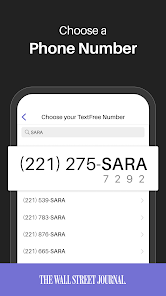
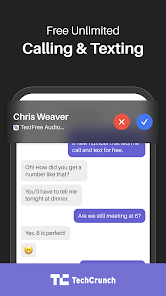
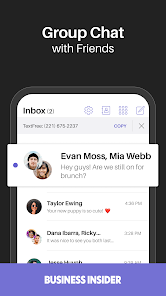
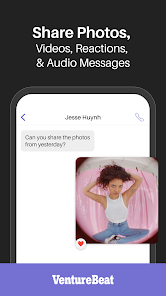

Text Free is a free app that lets you make calls and send texts without using your real phone number. You can use the app to call and text any number in the US, Canada, or over 200 other countries. The app also offers a premium subscription that gives you more features, like voicemail, MMS picture messaging, and international calling.
Features & Highlights
Text Free: Call & Texting App stands out in a crowded market of communication apps, offering a range of features that cater to both casual users and those who need reliable services for work. Here are some core features that make Text Free a must-have:
Real Experience Using Text Free: Call & Texting App
Application Scenarios
My experience with the Text Free app has been incredibly positive, particularly in various scenarios I encounter daily. For instance, I often need to reach out to clients while on the go. Using Text Free, I can easily send a quick text or make a call without worrying about using my personal number. This is especially helpful during networking events where I collect many contacts, and I want to keep my work and personal life separate. Another scenario is when I travel internationally; I can use the app over Wi-Fi to stay connected without incurring international fees, allowing me to share my adventures with friends back home.
User Experience
The user interface of Text Free is clean and intuitive, making it easy to navigate through its features. Upon opening the app, I’m greeted with a dashboard that displays my recent calls and messages, giving me quick access to my communication history. Sending a message or making a call requires just a few taps, and the performance is consistently smooth, with minimal lag. I appreciate the seamless integration of features like voicemail, which I can access directly from the main screen. Overall, the app has a friendly, responsive feel that enhances my communication experience, making it easy to stay in touch with everyone.
Pricing
Text Free offers a free version that provides basic calling and texting services, which is fantastic for casual users. However, to elevate the experience, users can opt for a premium subscription that unlocks additional features like an ad-free experience and enhanced capabilities. This pricing structure is transparent, allowing me to choose what fits my needs without hidden fees.
Updates & Support
The developers of Text Free are proactive in releasing updates that improve functionality and security. I’ve noticed enhancements in call quality and app stability in recent updates, which speaks volumes about their commitment to user satisfaction. Customer support is also readily available, with a comprehensive FAQ section and responsive assistance via email. This level of support reassures me that I can rely on the app for my communication needs.
Security & Privacy Review
As an American user, security and privacy are paramount when using communication apps like Text Free. The app is available on both the App Store and Google Play, ensuring that it meets standard security protocols set by these platforms. During registration, I was asked to provide basic personal information, but I appreciated that I could use the app without linking it to my primary number, allowing me to maintain a degree of anonymity.
Regarding ads and tracking, Text Free does display advertisements, but they are relatively unobtrusive. However, I noticed that the app collects usage data to enhance user experience and target ads, which is a consideration for privacy-conscious users. Overall, while Text Free offers a fantastic communication service, it’s essential to be aware of the trade-offs regarding privacy and data usage.

 Enjoy a private number for personal and business calls Easily manage multiple conversations without extra devices No need for a separate SIM card or phone Access voicemail and texts in one convenient app Stay connected without exposing your primary number
 Limited features compared to traditional phone services can hinder user experience Privacy concerns may arise with using a second number for communication Inconsistent call quality can lead to frustrating conversations and missed connections
  Google Play
  App Store
I have to go to the internet to make a call
really love the app

if I could give 0, I would.
I keto getting an error when just trying to set up the account, and then when I try to look up the reasons for the error number, and how to fix it, it shows a few reasons that it could be (none of them apply in this case) and then it basically says if it's not one of those reasons, there's nothing that can be done. I've tried on a second device and got the same error.
fake app
Review Source: Google Play store public user reviews.
Yes, users can submit suggestions or feedback through the app's support or feedback section.
The app may collect certain personal data to provide its services, but it follows privacy policies to protect user information.
Text Free: Second Call Number requires an internet connection to function, so it does not support offline use.
You can cancel your subscription through your device's app store settings or directly within the app's account settings.
Subscription pricing for Text Free: Second Call Number varies depending on the plan, with options for monthly or yearly subscriptions.
Go to the app settings, select 'Change Number,' and follow the prompts to choose a new number.
You can reach Text Free customer service through the app's settings or visit their website for support options.
After downloading the app, follow the on-screen instructions to select and activate your second phone number.
Open the app and enter your registered phone number and password, then tap 'Log In.'
Access the app's settings, choose 'Account,' and then 'Payment Information' to make updates.
Every update helps make Text Free a better place to chat—and this release is no different. Get the latest version for the best original Text Free Ultra experience.If you’re enjoying your free phone number, please consider leaving us a rating or review.

Threads
Text Free
Text Free: Second Phone Number

SuperLive-Transmite en vivo
MeetMe: Chat & Meet New People

Plamfy: Live Stream Video Chat

Truth Social

TikTok Lite - Faster TikTok

ONLYFUN: Random Video Chat

Lumi: Local Meet Dating

HotDate

Charmed : Swipe Local Singles