Category: Weather
Developer: The Weather Channel
 Verified App


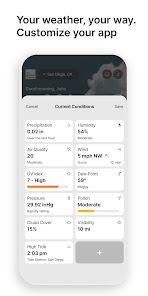
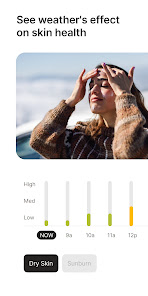
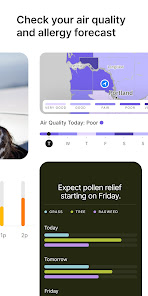
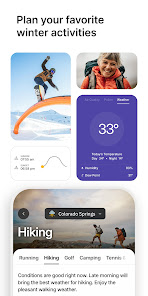
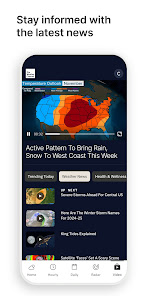
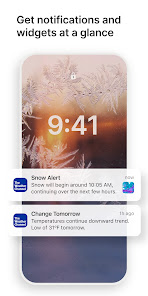
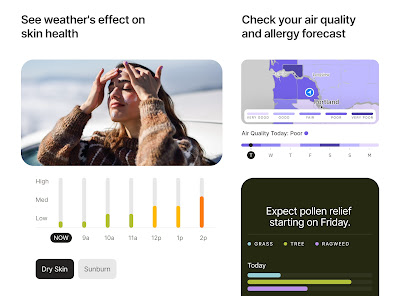
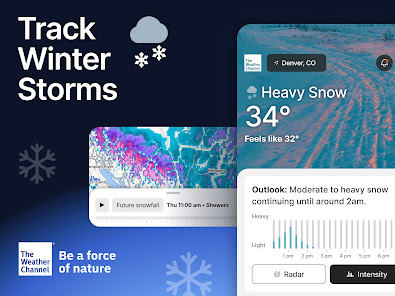
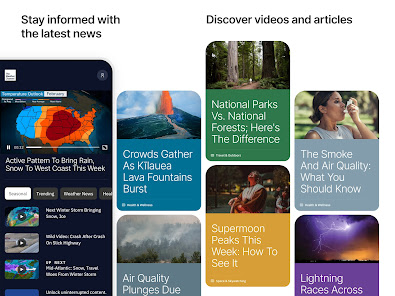
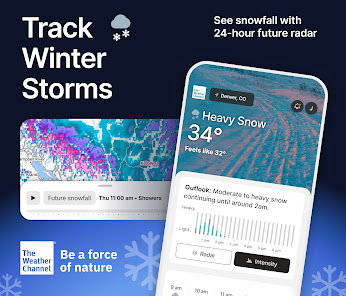
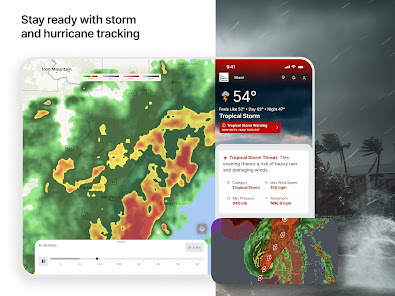
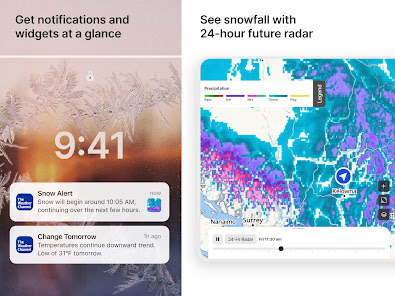
The Weather Channel's Radar app is one of the most popular weather apps available, and for good reason. The app provides users with up-to-date radar maps of their current location, as well as forecast information for the coming days. The app also includes a variety of other features, such as severe weather alerts and a hurricane tracker. Overall, the Radar app is an excellent choice for anyone looking for a comprehensive weather app.
Features & Highlights
The Weather Channel - Radar app is a powerhouse when it comes to keeping you informed about weather conditions, and its features are designed to cater to both casual users and weather enthusiasts alike. Here are some of the standout features that make this app a must-have:
Real Experience Using The Weather Channel - Radar
Application Scenarios
As a busy professional and a parent, I often rely on The Weather Channel - Radar app for various scenarios in my daily life. For instance, on weekdays, I start my morning routine by checking the app to see how I should dress for the day. If the radar shows a chance of rain, I’ll grab an umbrella and wear my waterproof jacket. On weekends, the app helps me plan family outings. Recently, we had a picnic planned, and the live radar updates allowed us to postpone until the weather cleared. It's become an essential part of my planning process, ensuring that I can enjoy my time outdoors without getting caught in unexpected weather conditions.
User Experience
The user interface of The Weather Channel - Radar app is intuitive and user-friendly, making it accessible for anyone, whether you're tech-savvy or not. Upon opening the app, I am greeted with a clean layout that showcases the current weather conditions prominently. Navigating through various features is seamless; I can easily switch from radar to forecasts with just a few taps. The app's performance is commendable; it loads quickly and updates data in real time without any lag. I love how the colors and graphics used in the radar maps are vivid, making it easy to identify weather patterns. Overall, my experience using the app has been overwhelmingly positive, with a strong sense of reliability and trust in the information provided.
Pricing
The Weather Channel - Radar app is free to download and use, which is a significant advantage for anyone looking to stay informed about weather conditions without breaking the bank. There are some features available through in-app purchases, but the free version is robust enough for casual users. For those who want an ad-free experience or additional features, the premium subscription is reasonably priced, making it an attractive option for avid weather followers.
Updates & Support
Regular updates keep The Weather Channel - Radar app functioning smoothly and ensure that it stays relevant with the latest weather technology. I've noticed frequent enhancements that improve user experience, such as new map features and bug fixes. Customer support is also commendable; I reached out once with a question about a feature, and I received a prompt and helpful response. It’s reassuring to know that the developers are committed to improving the app and providing support when needed.
Security & Privacy Review
When it comes to security and privacy, The Weather Channel - Radar app prioritizes user safety and data protection. Available on both the App Store and Google Play, it adheres to industry standards for app security. During registration, the app requires minimal personal information, primarily your location to provide localized weather updates. This is a plus in terms of privacy, as it doesn't ask for unnecessary data. However, it's worth noting that the app does display ads, which can sometimes raise concerns about tracking behavior. While ads are common in free apps, it's essential to review the privacy policy to understand how your data might be used. Overall, I feel secure using the app, but I recommend that users stay informed about privacy settings to maintain control over their information.

 Real-time radar updates for accurate forecasts User-friendly interface for easy navigation Severe weather alerts keep you informed Interactive maps for detailed weather tracking Customizable notifications tailored to your needs
 Cluttered interface can be overwhelming for users. Limited coverage in rural areas reduces accuracy. Frequent ads disrupt the user experience significantly. Radar updates may be slower than competitors.
ABSOLUTELY FABULOUS

This has been an exceptionally well-designed app in my experience. Its weather forecasts have been consistently accurate and reliable, which is why I've continued to use it. I've seen posts on Instagram claiming that its predictions aren't trustworthy, but that hasn't reflected what I've experienced firsthand. Living in Iran, I've found the forecasts to be dependable over time, so I put more weight on my own experience than on broad claims shared online.
Trying to scroll through hourly mode, and have to watch ads.
New notifications are absolutely obnoxious. no way to turn them off without turning off the temp notification. The other notifications got so annoying I had to uninstall.
now there's obscene commercials that should not be on here! I'm going to have to uninstall this This just nasty! NOW CANT OPEN WITHOUT COMMERCIALS. I'm having tornado warnings and can't even get to your app because of the stupid commercials this is an emergency!
Review Source: Google Play store public user reviews.
Yes, The Weather Channel - Radar may collect personal data to enhance user experience, improve services, and for advertising purposes, in accordance with their privacy policy.
Yes, The Weather Channel - Radar offers a free version with basic features, while premium features may require a subscription. Free trial options may also be available for premium services.
Yes, The Weather Channel - Radar requires an internet connection to access real-time weather data and updates.
You can contact support or send feedback through the app's help section or by visiting The Weather Channel's official website for customer service options.
You can manage or cancel your subscription through the app settings or your device's app store settings, depending on how you subscribed.
You can contact customer service through the app's settings or visit their official website for support options.
Open the app and tap on the login option, then enter your credentials or sign in using your social media account.
No activation is necessary; simply download the app and start using it right away.
The customer service number may vary by region; check the app or the website for the correct contact number.
We're always working to make The Weather Channel app the best experience for our users. This update includes improvements to Radar and Activities, along with performance improvements and bug fixes. Clear skies ahead. 🌦️Questions? Contact us at [email protected]
 Google Play
  App Store