Version: 2.7.5
Developer: Brother Industries, Ltd.
 Verified App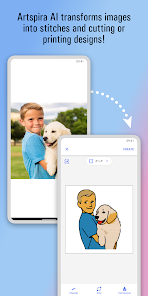
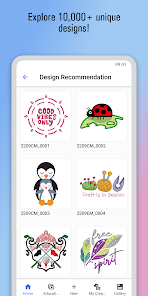

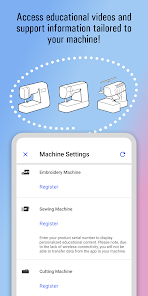
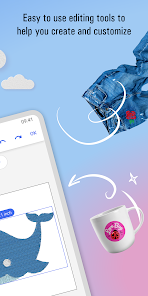
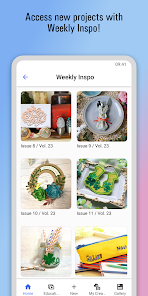
Features & Highlights
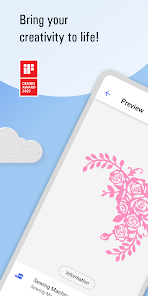
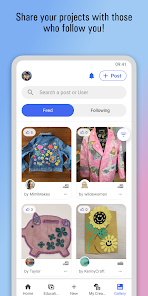
If you're looking for a creative app to enhance your crafting experience, Brother Artspira has got you covered. This innovative app offers a variety of features that cater to both novice crafters and seasoned professionals. Here are some key highlights:
Real Experience Using Brother Artspira
Application Scenarios
As an avid crafter, I often find myself looking for tools that can help streamline my projects. Brother Artspira has become my go-to app for various scenarios. For example, last week, I needed to whip up some birthday gifts for my niece. I opened the app, browsed through the extensive template library, and found a cute unicorn design that matched her personality perfectly. With just a few clicks, I customized the design, transferred it to my Brother sewing machine, and created a delightful embroidered pillow within hours. The app has also been a lifesaver for holiday decorations, as I can quickly create personalized ornaments and gift tags that add a special touch to my gifts.
User Experience
From the moment I opened Brother Artspira, I was struck by its user-friendly interface. The layout is clean, making navigation through the various features a breeze. The app's workflow is intuitive; I found it easy to create new designs, select templates, and customize them to my liking. With a responsive design that works seamlessly on both my tablet and smartphone, I could work on projects anytime, anywhere. Performance-wise, the app has been reliable, with quick loading times and no crashes during my extensive use. Overall, my experience has been overwhelmingly positive, and I appreciate how it has transformed my crafting process into a more enjoyable and fulfilling activity.
Pricing
Brother Artspira is free to download, which is fantastic for those looking to explore its features without upfront costs. However, there are premium features and templates available for purchase. I found that the investment in some of the advanced designs was worth it, especially when I considered how they elevated my projects. The pricing is reasonable, and I often find myself returning to the app for new designs that fit my evolving crafting needs.
Updates & Support
The developers of Brother Artspira seem committed to continuously improving the app. I’ve noticed regular updates that not only introduce new features but also enhance existing ones. This dedication to improvement keeps the app fresh and engaging. As for support, I was pleasantly surprised by the responsiveness when I reached out with a question about a design feature. The support team was friendly and helpful, making my experience even better.
Security & Privacy Review
As a user in today’s digital world, I take security and privacy seriously, and Brother Artspira respects those concerns. The app is available on official app stores—both the App Store and Google Play—which adds a layer of trust. During the registration process, I was required to provide minimal personal data, which is reassuring. I appreciate that the app does not ask for excessive information, ensuring my privacy is maintained. Additionally, while there are some ads within the app, they are not intrusive and do not compromise user experience. The developers also seem mindful of tracking behavior, as there were no overwhelming prompts or tracking notifications, which is a significant plus for privacy-conscious users like myself.

 Unleash your creativity easily! Endless design templates available! User-friendly interface for all! Share projects with friends quickly! Access tutorials for skill growth!
 Limited design flexibility Steep learning curve for newbies Requires stable internet access Occasional app performance issues
  Google Play
  App Store
 Yes, the Brother Artspira app offers subscription plans that provide access to additional premium content, exclusive designs, and advanced features. You can choose a plan that best fits your creative needs.
Yes, you can import your own designs into the Brother Artspira app. The app supports various file formats, allowing you to customize your designs and incorporate them into your projects.
While you can use some features of the Brother Artspira app offline, certain functionalities, such as accessing online templates and sharing designs, may require an internet connection for full functionality.
Yes, the Brother Artspira app includes built-in tutorials and guides that help users navigate the app and learn how to use its various features effectively. These resources are designed to enhance your creative experience.
You can share your designs created in the Brother Artspira app via social media, email, or by exporting them to your device's photo library. The app provides options to save and share your creations easily.
You can contact Brother customer service by visiting their official website and navigating to the support section for phone numbers and chat options.
To log in, open the app and enter your registered email address and password. If you don't have an account, you can create one directly in the app.
No specific activation is required; simply download the app, create an account, and log in to start using it.
The customer support number may vary by region; please check the Brother website for the appropriate number for your location.