
 Home
Home  Apps
Apps  Games
Games  Windows
  Terms of Service
  Cookies & Privacy Policy
  About us
Lufthansa
Version: 9.520.0
Developer: Lufthansa Group
 Verified App
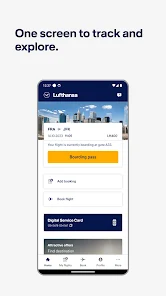
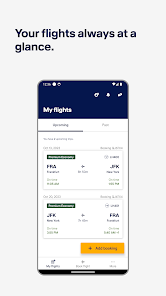
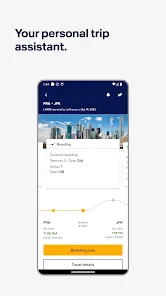
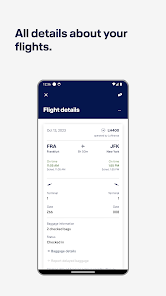
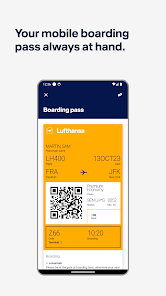
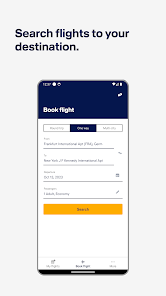
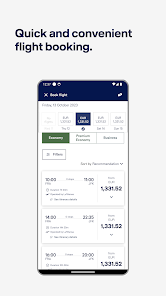
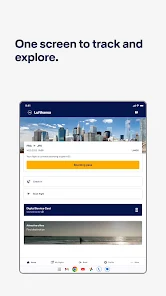
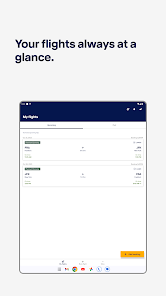
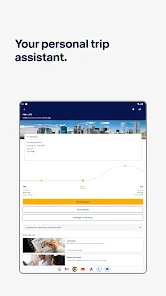
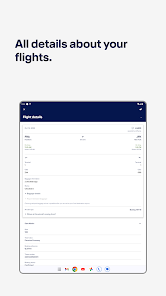
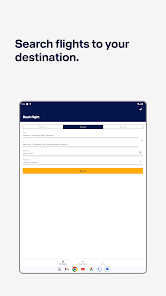
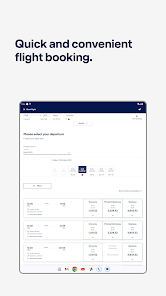
The Lufthansa app is a mobile application developed by Lufthansa, the German airline. It is available for both iOS and Android devices. The app allows users to book flights, check in, manage their bookings, and access their Miles & More account. It also provides information about flight status, airport information, and other travel services. The app also provides access to the Lufthansa magazine, which offers travel tips and destination information. The app also allows users to access their boarding pass and other travel documents.
Features & Highlights
The Lufthansa app is packed with features that cater to the needs of frequent travelers and casual flyers alike. Whether you're booking flights or managing your itinerary, the app ensures a seamless experience. Here are some core features that stand out:
Real Experience Using Lufthansa
Application Scenarios
Using the Lufthansa app has become an integral part of my travel routine. Whether I'm planning a work trip or a leisurely getaway, I find myself reaching for the app to manage my travel needs. For instance, I often travel for conferences, and the app serves as my one-stop shop for everything from booking flights to managing my itinerary. I once had to adjust my plans last minute due to a scheduling conflict, and the app made it a breeze to find a new flight and rebook my accommodations without any hassle.
User Experience
The user interface of the Lufthansa app is clean and intuitive. Upon opening the app, I’m greeted with a friendly dashboard that showcases my upcoming flights and any relevant alerts. Navigating through different sections, such as bookings, check-ins, and travel services, feels like a natural flow. The performance is smooth, with minimal loading times, which is crucial when I'm in a hurry. I appreciate how the app remembers my preferences, making it even easier to book my regular routes. Overall, using the Lufthansa app is a pleasant experience; it makes travel planning feel less like a chore and more like a well-organized adventure.
Pricing
The Lufthansa app is free to download on both the App Store and Google Play, making it accessible to everyone. While the app itself doesn't charge fees, flight prices can vary based on demand and availability. I’ve found competitive rates through the app, especially during promotions or when booking in advance. It’s worth keeping an eye out for special offers that can make your travel even more affordable.
Updates & Support
Lufthansa is proactive in updating their app to enhance user experience. I’ve noticed several updates over the past months that included new features and bug fixes that improve performance. The support team is also quite responsive; I once had an inquiry about my flight status, and I received prompt assistance through their help section within the app. Overall, I feel confident that Lufthansa values its users and continually strives to improve the app's functionality.
Security & Privacy Review
As an American user, security and privacy are always top concerns when using travel apps. The Lufthansa app is available on both the App Store and Google Play, ensuring that it meets the standards set by these platforms. When registering, the app requires basic personal information, such as your name and email address, which is standard for flight bookings. I appreciate that they also allow for guest check-ins, which means I can use the app without creating an account if I choose.
As for ads and tracking behavior, the Lufthansa app does not overwhelm users with advertisements, which is refreshing. However, I did notice some tracking behavior to optimize user experience, like flight recommendations based on previous searches. Overall, I feel comfortable using the app, knowing that my data is handled with care and that my privacy is respected.
Pros 
-
 Experience seamless booking
 - Manage your flights easily
- Check real-time flight status
- Access boarding passes digitally
- Enjoy personalized travel tips
Cons 
-
 Limited offline functionality
 - Clunky user interface
- Frequent login issues
- Slow customer support response
Get Installation Details  Google Play
  App Store
Google Play App Store FAQ
1
Can I submit suggestions or feedback to the Lufthansa app?
Yes, users can submit feedback and suggestions through the app or via the Lufthansa website's contact form.
2
Does the Lufthansa app collect my personal data?
Yes, the app collects personal data to enhance user experience and improve services, adhering to privacy regulations.
3
Does the Lufthansa app support offline use?
Yes, the app allows limited offline access, such as saved boarding passes and flight information.
4
How do I cancel my Lufthansa subscription?
Since there is no subscription for the app, cancellation is not applicable. Simply uninstall the app if desired.
5
How much does a subscription to the Lufthansa app cost?
The Lufthansa app does not require a subscription, as it is free for users.
How to use Lufthansa
1
Can I manage my bookings through the Lufthansa app?
Yes, you can manage your bookings through the app by accessing the "My Bookings" section, where you can modify flights, add services, or check-in.
2
Do I need to activate my account to use the Lufthansa app?
Yes, you need to activate your account. After registration, check your email for an activation link. Click the link to activate your account before logging in.
3
How can I contact Lufthansa customer service through the app?
You can contact Lufthansa customer service via the app by navigating to the "Help" or "Contact Us" section, where you'll find options to chat or call support.
4
How can I reset my password in the Lufthansa app?
To reset your password, tap "Forgot Password?" on the login screen, enter your email, and follow the instructions in the email you receive.
5
How do I check flight status using the Lufthansa app?
To check flight status, open the app, go to the "Flight Status" section, and enter your flight number or route details to get real-time updates.
Top Apps















Similar Apps

WDSU Parade Tracker
HTVMA Solutions, Inc.

3.7

Wanderboat: Local Guide
UTA AI Inc.
4.4

Parade Pal: Parade Tracker
ParadePal
3.7

Otaghak
Otaghak Group
4.2
JetBack: Airfare Price Credits
JetBack – Get Airline Credits when Airfare Drops
4.1

Exit Strategy NYC
JWeg Ventures LLC
4.8

byAir: Live Flight Tracker
BYAIRAPP S.L.
4.6

AllStays Camp & RV: Camping
appexgroup
4.4
Maps Driving Directions
Navigate Traffic - Maps Directions
4.5

Polarsteps - Travel Tracker
Polarsteps
4.7

FlightView: Free Flight Tracke
OAG Aviation Worldwide Limited
3.9

Klook: Travel, Hotels, Leisure
Klook Travel Technology Ltd.
4.1


