
Version: 15.0.1
Developer: Viator
 Verified App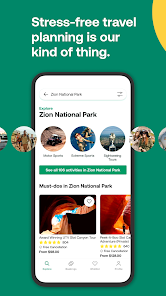

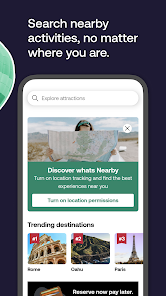



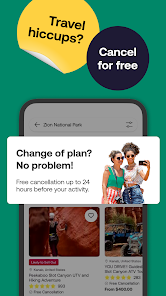

Viator is a tour company that operates in more than 1,500 destinations around the world. Founded in 1995, Viator is one of the largest tour companies in the world, with an extensive product offering and a global team of over 1,000 employees. Viator's mission is to make it easy for travelers to find and book the best tours and activities in their destination. With over 20 years of experience, Viator has become a trusted source for travelers looking for quality tours and activities at unbeatable prices.
Features & Highlights
Viator is a comprehensive travel app that truly stands out in the crowded marketplace of travel planning tools. With its user-friendly interface and a plethora of features, Viator makes it easy for travelers to discover, book, and enjoy activities and tours worldwide. Here are some of the standout features that I believe make Viator a must-have app for any traveler:
Real Experience Using Viator
Application Scenarios
As a travel enthusiast, I often find myself in situations where I need to quickly plan activities while on the move. One such occasion was during a weekend getaway to San Francisco. I wanted to make the most of my time and explore as much as possible without spending hours scrolling through various travel websites. That's when I decided to use Viator. With just a few taps, I was able to discover a fantastic bike tour of the Golden Gate Bridge, which I booked on the spot. The app's ability to provide me with real-time options was a game-changer and made my trip much more enjoyable.
User Experience
The first thing I noticed when I opened the Viator app was its clean and attractive layout. The user interface is designed with travelers in mind, making it easy to search for activities or browse by destination. The workflow is straightforward: you can filter activities by type, duration, and more, which saved me a lot of time. I appreciated the high-quality images and detailed descriptions that accompanied each listing, giving me a clear picture of what to expect. Furthermore, the app performed reliably during my usage; I didn't encounter any crashes or slow loading times, which can be frustrating when trying to book on the go. Overall, my experience with the app left me feeling empowered and excited about my travel plans.
Pricing
Viator offers competitive pricing for its activities, often featuring exclusive discounts for app users. While some tours can be on the pricier side, I found that the quality of the experiences usually justified the costs. Additionally, the app frequently runs promotions, allowing savvy travelers to snag great deals. For example, I recently booked a helicopter tour over the Grand Canyon at a 15% discount, which made the adventure even more thrilling.
Updates & Support
Viator is committed to improving its services, and I’ve noticed frequent updates that enhance app performance and add new features. Customer support is also readily available through the app, which I found helpful when I had a question about a booking. Their response time was impressive, and I appreciated the live chat option that allowed me to get answers quickly. Overall, their support team made me feel valued as a customer.
Security & Privacy Review
As an American user, I take security and privacy seriously, especially when using apps that require personal information. Viator is available on both the App Store and Google Play, and I've always felt confident downloading apps from these official sources. However, upon registering with Viator, I was asked for basic personal information, including my name, email address, and payment details. While this is standard for travel apps, I would prefer to see more transparency regarding how this data is used and stored.
Additionally, I did notice some advertisements within the app, which is common across many free apps. However, I appreciate that Viator does not seem to excessively track user behavior beyond what is necessary for providing a personalized experience. The app's privacy policy is accessible, detailing their commitment to protecting user data, which reassured me as a user concerned about privacy.

 Viator offers a wide range of tours for diverse interests. Expert guides provide in-depth local knowledge and insight. Flexible cancellation policies ensure peace of mind when booking. User-friendly platform makes searching and booking simple and quick. Exclusive deals and discounts help save money on experiences.
 Limited customer support can lead to unresolved issues during bookings. Some tours may have hidden fees that increase overall costs. User reviews often highlight inconsistencies in tour quality and experience.
  Google Play
  App Store
 Yes, users can submit suggestions or feedback through the app’s customer support feature or by visiting the Viator website.
Yes, the app collects personal data to facilitate bookings and improve user experience, but it adheres to privacy regulations to protect user information.
Yes, the app allows users to access certain features offline, such as previously downloaded itineraries and booking details.
Since there is no subscription model, users do not need to cancel anything; they can simply stop using the app or choose not to book any services.
Viator Tours & Attractions does not require a subscription fee, as users only pay for the tours and activities they choose to book.
Yes, you can reset your password by clicking "Forgot Password?" on the login page and following the instructions.
Yes, you can retrieve your customer number by checking your account emails or contacting customer service for help.
You can reach customer service through the Viator website or app by clicking on the "Help" section for assistance.
You can access customer service for booking issues through the Viator website or app under the "Help" section.
To log in, visit the Viator website or app, enter your email and password, then click "Log In."