Version: 10.5.0
Developer: MapQuest
 Verified App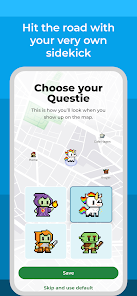
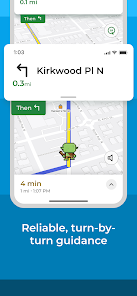
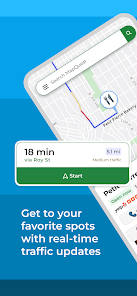


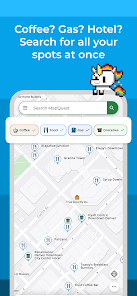

MapQuest is a free online mapping service that provides turn-by-turn directions, interactive maps, and satellite imagery of locations around the world. The service is available in both a website and mobile app. MapQuest was one of the first online mapping services, launched in 1996. The company was acquired by AOL in 2000 and then by Verizon in 2015. Today, MapQuest has over 46 million unique visitors per month.
Features & Highlights
Real Experience Using MapQuest
Application Scenarios
As a frequent traveler for both work and leisure, I find myself reaching for the MapQuest app in various situations. One of my most common scenarios is during my daily commute. Living in a bustling city means that traffic can change in an instant, and I appreciate how MapQuest keeps me informed. On weekends, I often use the app for family outings or road trips, planning routes that avoid toll roads and highlight interesting stops along the way. Just last month, my friends and I took a weekend getaway to the mountains, and MapQuest was invaluable in helping us find the best scenic route and locate nearby hiking trails.
User Experience
The user interface of MapQuest is straightforward and intuitive, making it easy to navigate even for those who aren't tech-savvy. When I first opened the app, I was greeted with a clean layout that displayed the map prominently. Entering a destination is a seamless process, and I appreciated the quick load times. The voice navigation is clear, with timely cues that keep me focused on the road. I was particularly impressed with how the app recalibrates in real-time if I take a wrong turn, ensuring I stay on track without missing a beat. Overall, my experience with MapQuest has been positive, as it combines functionality with ease of use, making my travel experiences less stressful.
Pricing
One of the great aspects of MapQuest is that it’s free to use, which is appealing for those of us who are budget-conscious. While there are in-app advertisements, they are not overly intrusive and do not detract from the overall navigation experience. For users looking for additional features, there are premium services available, but I've found the free version to be more than sufficient for my needs.
Updates & Support
MapQuest frequently rolls out updates that enhance functionality and user experience. I noticed a recent update that improved the accuracy of the traffic information, which I found particularly useful. The support provided through the app is commendable; on the rare occasion I encountered a bug, the customer service team was responsive and helpful. They even followed up to ensure my issue was resolved, which speaks volumes about their commitment to user satisfaction.
Security & Privacy Review
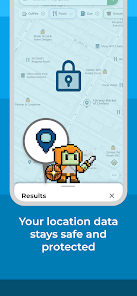
When it comes to security and privacy, I appreciate that MapQuest is available through official app stores like the App Store and Google Play. This adds a layer of trustworthiness to the app. Upon registration, the app requires minimal personal data, focusing instead on location access, which is necessary for navigation. I have not noticed any overly aggressive ads or tracking behavior, which is a relief in today's digital age. MapQuest seems to prioritize user privacy, with clear policies regarding data usage, which builds my confidence in using the app regularly. Overall, I feel safe sharing my location with MapQuest, knowing that my information is handled responsibly.

 Easily accessible interface for quick navigation planning. Real-time traffic updates help avoid delays on your route. Customizable routes allow for scenic or efficient travel options. Integration with local businesses enhances trip planning and stops. Voice-guided directions ensure hands-free navigation while driving.
 Limited real-time traffic updates can lead to inefficient routing decisions. User interface may feel outdated and less intuitive than competitors. Accuracy of directions can sometimes be inconsistent, causing navigation challenges.
  Google Play
  App Store
 Yes, users can submit suggestions or feedback through the app’s support section or via the official MapQuest website.
Yes, the app collects certain personal data to improve user experience and provide personalized services, but it allows users to manage privacy settings.
Yes, users can download maps for offline use, allowing navigation even without an active internet connection.
Users can cancel their subscription through their account settings in the app or by following the instructions in the app store where they purchased the subscription.
The cost of a subscription can vary based on the features offered, typically starting from a basic monthly fee, but users should check the app for the latest pricing details.
Unfortunately, you cannot change your customer number once it's been assigned. For further assistance, contact customer service.
You can reach MapQuest customer service by visiting the support page on their website or calling their customer number listed there.
After logging in, go to your account settings to update your personal information and preferences.
To activate your MapQuest account, check your email for the activation link sent during registration and follow the instructions provided.
You can contact MapQuest customer service by calling their customer number or using the contact form on their website for account-related issues.