Category: Tools
Developer: Proton AG
 Verified App


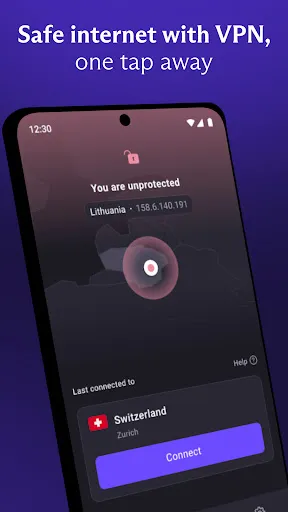
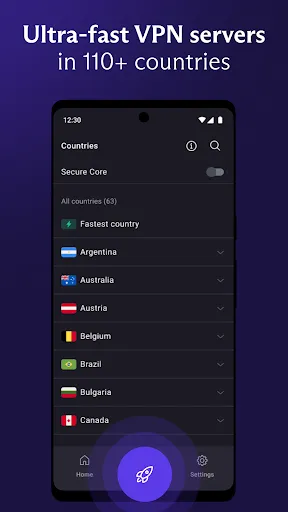
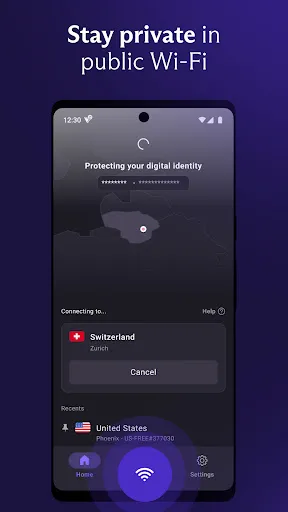
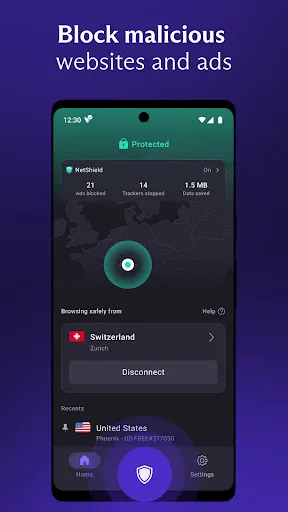
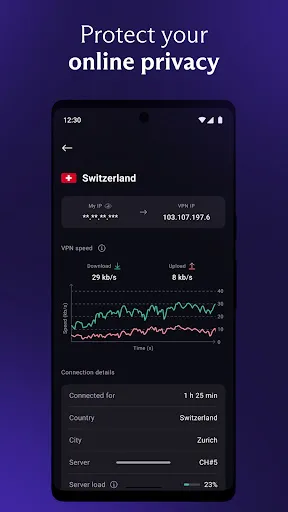
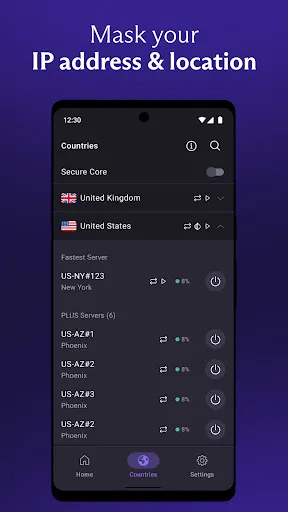

ProtonVPN is a free, open-source virtual private network (VPN) service developed by the Swiss company Proton Technologies AG. It is designed to protect online privacy and security by routing user traffic through a secure, encrypted tunnel. ProtonVPN is available for Windows, macOS, Linux, Android, and iOS devices. It also offers a secure browser extension for Chrome and Firefox. ProtonVPN is designed to provide users with a secure and private connection to the internet, allowing them to browse the web anonymously and securely. It also provides access to geo-restricted content, such as streaming services, and helps protect users from malicious websites and online threats. ProtonVPN also offers a variety of features, such as a kill switch, split tunneling, and DNS leak protection, to ensure users’ privacy and security.
Features & Highlights
Proton VPN is packed with features that not only enhance your online privacy but also provide a seamless user experience. Here are some of the standout features that make Proton VPN a strong contender in the VPN market:
Real Experience Using Proton VPN
Application Scenarios
In my daily life, Proton VPN has become an indispensable tool. Whether I’m working remotely or enjoying leisure time, the app fits seamlessly into various scenarios. For instance, while traveling for work, I often find myself in hotels with sketchy internet connections. Connecting to Proton VPN not only secures my data but also allows me to access my company’s internal network as if I were back in the office. Furthermore, during weekends, I enjoy streaming shows that are geo-restricted. With Proton VPN, I can easily switch my virtual location and enjoy content from different countries without a hitch.
User Experience
The user interface of Proton VPN is intuitive and user-friendly. Upon launching the app, I’m greeted with a simple dashboard that displays my connection status and available servers. Connecting to a server is as easy as clicking a button. The workflow is straightforward; I can quickly switch between servers and access settings without feeling overwhelmed. Performance-wise, I’ve noticed minimal lag while streaming or browsing, which is a pleasant surprise compared to other VPN services I’ve tried in the past. Overall, my feelings after using Proton VPN are very positive. It blends powerful features with ease of use, making it a reliable choice for both novice and experienced users.
Pricing
Proton VPN offers a variety of pricing plans, catering to different user needs. The free version provides basic features, but the premium plans unlock advanced functionalities such as Secure Core and faster speeds. I opted for the Plus plan, which, while slightly pricier than some competitors, offers exceptional value considering the level of security and performance it provides. The pricing is transparent with no hidden fees, and I appreciate that I can choose between monthly or yearly subscriptions, allowing for flexibility in budgeting.
Updates & Support
Proton VPN is committed to regular updates, ensuring that the app remains secure and feature-rich. I’ve noticed a couple of updates since I started using the app, each bringing enhancements and new features to improve user experience. The support team is also commendable; they offer responsive customer service through email and a helpful knowledge base on their website. Whenever I’ve had questions or faced minor issues, their team has been quick to provide solutions.
Security & Privacy Review
As an American user, security and privacy are paramount when choosing a VPN, and Proton VPN excels in these areas. The app is available directly from trusted sources like the App Store and Google Play, which gives me peace of mind regarding its legitimacy. The registration process requires only an email address, ensuring that minimal personal data is collected, a crucial factor for privacy-conscious users like myself.
Proton VPN staunchly avoids ads and tracking behavior, aligning with its commitment to user privacy. This absence of intrusive advertisements not only enhances the browsing experience but also ensures that my online activities remain private. The combination of these features makes Proton VPN a compelling choice for anyone looking to safeguard their online presence in an increasingly digital world.

 Experience lightning-fast connection speeds for seamless browsing Enjoy top-notch security with advanced encryption protocols Bypass geo-restrictions for global content access Protect your privacy with a strict no-logs policy Effortlessly connect on multiple devices simultaneously
 Limited server locations available May experience slower speeds at times No free trial option for new users Higher pricing compared to competitors
  Google Play
  App Store
nice app
⭐⭐⭐⭐⭐ 5/5 Proton VPN is fast, secure, reliable, and truly premium. Excellent privacy protection, smooth performance, and easy to use on both mobile and PC. Highly recommended. 🔐🚀
awesome VPN has everyprotacol and really like the stealth protocol

not bad
It won't stay connected for more than a few minutes. Ever. No matter what I do. Tried different wifi networks, disconnecting and reconnecting, changing servers, etc. Even uninstalled the app and came back after a while to see if it was just an issue that day, but no. Nothing.
Review Source: Google Play store public user reviews.
VPN Proton: Fast & Secure VPN has a strict no-logs policy and does not collect or store your personal data, ensuring your privacy while you use the service.
Yes, VPN Proton: Fast & Secure VPN offers a free version with limited features, as well as various subscription plans for users who want access to additional functionalities.
Yes, VPN Proton: Fast & Secure VPN requires an active internet connection to function, as it routes your internet traffic through its secure servers.
You can contact support or send feedback for VPN Proton: Fast & Secure VPN by visiting the official website and accessing the support section, where you can find contact options such as email or a support ticket system.
You can manage or cancel your VPN Proton: Fast & Secure VPN subscription through your account settings within the app or the official website, where you can follow the prompts to make changes.
After downloading the app, log in with your account credentials. If you have a subscription, it will be activated automatically upon login.
You can reach Proton VPN customer service through their official website's support section or via email at support
Proton VPN does not have a specific customer number; support is primarily handled through their website and email.
Open the Proton VPN app, click on the "Log In" button, and enter your email and password associated with your account.
Added the ability to upgrade to a paid Proton VPN plan inside the Android TV app.Fixed an issue that affected users upgrading directly from an anonymous guest account to a paid plan.