Category: Shopping
Developer: Amazon Mobile LLC
 Verified App



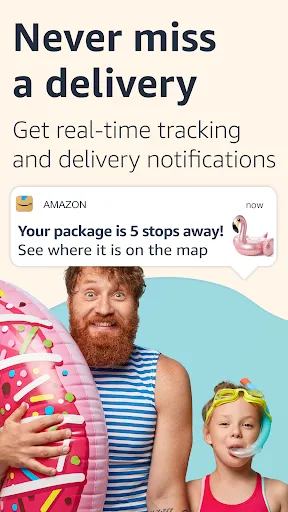
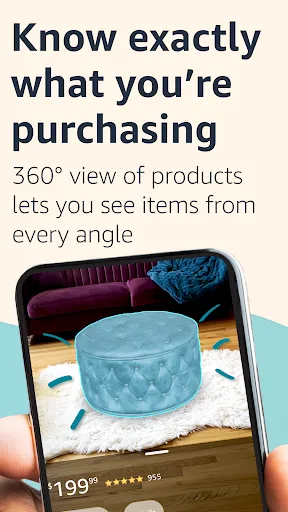
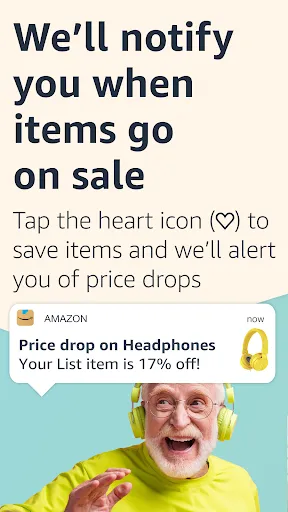

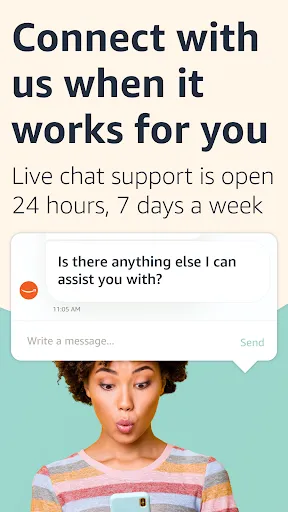
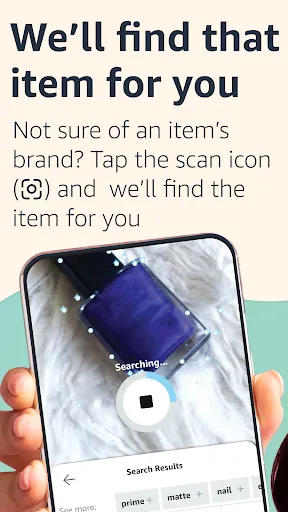
The Amazon Shopping app is a mobile app developed by Amazon that allows users to shop for products on the Amazon website using their mobile devices. The app offers a wide range of features for customers, including the ability to search for and browse products, read customer reviews, and track packages. It also allows users to access their Amazon account and order history, as well as access Prime benefits such as free two-day shipping and access to Prime Video. The Amazon Shopping app is available for download on the App Store and Google Play, and is compatible with a variety of mobile devices. Some additional features of the app include the ability to scan barcodes and QR codes to find products, the ability to save items for later, and the ability to save payment and shipping information for faster checkout.
Features & Highlights
The Amazon Shopping app is packed with features that make online shopping seamless and enjoyable. Here are some of the standout features that enhance the user experience:
Real Experience Using Amazon Shopping
Application Scenarios
My experiences with the Amazon Shopping app are numerous, as it fits effortlessly into various aspects of my daily life. For instance, during a recent home renovation, I found myself needing different tools and materials. Instead of driving from store to store, I opened the app, searched for what I needed, and ordered everything from paint to power tools with just a few taps. In another scenario, when planning a family gathering, I used the app to order decorations and party supplies, ensuring I had everything delivered right to my doorstep without any hassle.
User Experience
The user interface of the Amazon Shopping app is intuitive and user-friendly. Navigating through the categories feels fluid, and the search function is powerful, allowing me to find exactly what I'm looking for without unnecessary clicks. The layout is clean, with vibrant images that make shopping visually appealing. I particularly appreciate the detailed product descriptions and reviews, which help me make informed decisions before purchasing. Overall, my experience has been positive; the app performs smoothly, with minimal lag, even during peak shopping times.
Pricing
Amazon Shopping offers a wide range of products at competitive prices, which is one of the reasons I keep coming back. While many items are available at standard retail prices, being a Prime member often grants me access to exclusive discounts and deals. Additionally, the app frequently features flash sales and limited-time offers, making it easy to score bargains on items I’ve had my eye on. Overall, I find the pricing to be reasonable, especially considering the convenience the app provides.
Updates & Support
The app receives regular updates that enhance its functionality and address any bugs reported by users. Whenever I encounter an issue, I’ve found that the customer support team is responsive and helpful. I recently had a question about a return, and after reaching out through the app’s support feature, I received a prompt reply that guided me through the process. This level of support adds to my overall satisfaction with the app, knowing that assistance is just a few taps away.
Security & Privacy Review
When it comes to security and privacy, the Amazon Shopping app takes important measures to protect user data. The app is available on both the App Store and Google Play, ensuring that it meets the security standards set by these platforms. Upon registering, users are required to provide basic information like name, email, and shipping address, which is standard for e-commerce platforms. However, I appreciate that Amazon also allows you to enable two-factor authentication for an extra layer of security.
As for tracking behavior, I have noticed personalized ads based on my browsing habits, which can be a double-edged sword. While it’s convenient to see ads for products I’m genuinely interested in, I also value my privacy. Fortunately, Amazon provides settings that allow users to manage their ad preferences and limit the data being collected. Overall, I feel that my personal information is handled with care, making me more comfortable using the app for my shopping needs.

 Wide selection of products available for all your shopping needs. Convenient shopping from home, saving you time and effort. Competitive prices and frequent discounts for great savings. Fast and reliable shipping options to receive items quickly. User-friendly interface makes finding products easy and enjoyable.
 Limited product quality control may lead to unsatisfactory purchases. Shipping delays can affect timely delivery of items. Customer service can be slow, complicating issue resolution.
  Google Play
  App Store
Quick, easy, and MOST important, TRUSTED!
Always the best products here at my favorite Amazon.

me gusta
remove ai, add Dark mode
I get aggravated at checkout when my 1st or 2nd choice for Amazon Locker pickups aren't available!
Review Source: Google Play store public user reviews.
Yes, Amazon compras collects personal data such as your name, shipping address, payment information, and purchase history to facilitate transactions and improve user experience.
Amazon compras does not typically offer a free trial or free version; however, users can access standard features without a subscription for shopping purposes.
Yes, Amazon compras requires an internet connection to browse products, make purchases, and access account information in real-time.
You can contact support or send feedback for Amazon compras through the app's help section or by visiting Amazon's Customer Service website, where you can find various contact options.
You can manage or cancel your Amazon compras subscription by going to your account settings on the app or website, where you can find options to update or cancel your subscription.
Unfortunately, you cannot change your Customer Number, but you can update your account information through your account settings.
You can reach Customer Service through the 'Help' section on the Amazon website or app for assistance with your orders.
If you forgot your email, try to recover it through the login page by clicking on "Forgot email?" or contact Customer Service for support.
To activate your Amazon account, simply log in using the email and password you provided during registration.
You can reach Customer Service through the 'Help' section and select 'Returns' for assistance with your return inquiries.
Access popular pages quickly with our new shortcuts. Tap and hold the Amazon app icon to access your Orders, Daily Deals, Shopping Cart, and Search.Enjoy our latest update where we have fixed some bugs and improved our app to provide you a seamless shopping experience

Etsy: Shop & Gift with Style
Etsy: Buy & Sell Unique Items

Costco Wholesale

Vinted: Buy & sell preloved

OfferUp: Buy. Sell. Simple.
OfferUp: Buy. Sell. Letgo.

Dollar General

Affirm: Buy now, pay over time
Affirm: Buy now, pay over time App

Klarna | Shop now. Pay later.

Circle K

Poshmark - Buy & Sell Fashion