
Category: Shopping
Developer: Poshmark, Inc
 Verified App


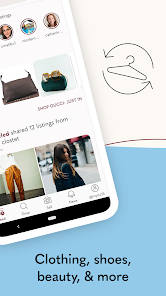
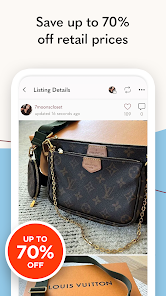
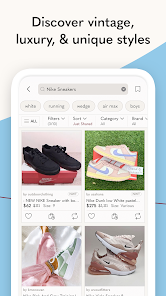
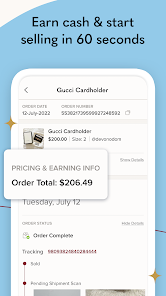
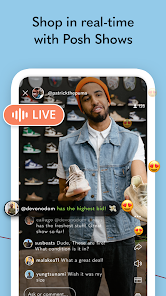

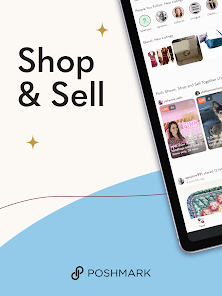
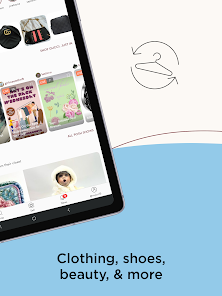
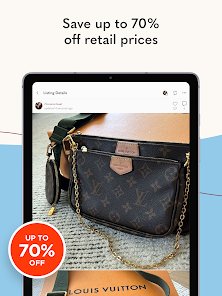
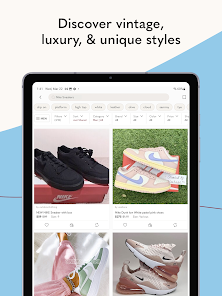
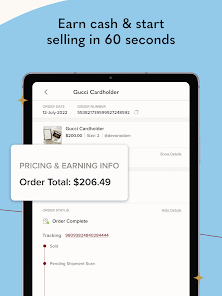
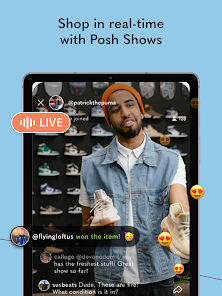
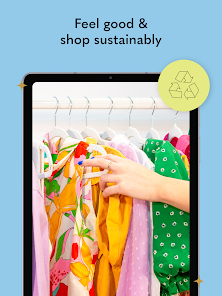
Poshmark is a free mobile app that lets you sell your clothes and accessories straight from your closet. With Poshmark, you can take photos of the items you want to sell, set a price, and share them with people in the Poshmark community. Poshmark makes it easy to declutter your closet and make some extra cash at the same time. Here's everything you need to know about how to use Poshmark to sell your clothes.
Features & Highlights
Poshmark - Buy & Sell Fashion is more than just a marketplace; it’s a thriving community where fashion lovers can buy and sell items while enjoying a social experience. Here are some standout features that make Poshmark a must-have app for anyone looking to dive into the fashion resale market:
Real Experience Using Poshmark - Buy & Sell Fashion
Application Scenarios
I use Poshmark in various scenarios throughout my week. Whether I’m decluttering my closet during a seasonal shift, searching for that perfect vintage jacket, or simply browsing for inspiration, the app serves as my go-to fashion hub. Recently, I was getting ready for a wedding and realized I needed a new dress. Instead of hitting the mall, I opened Poshmark and found the perfect cocktail dress at a fraction of the retail price. Not only did I save money, but I also felt great about recycling fashion.
User Experience
The user interface of Poshmark is clean and intuitive, making navigation a pleasant experience. Upon opening the app, I’m greeted with a feed of items tailored to my preferences, which keeps me engaged. Listing an item is straightforward; I can take photos directly through the app or upload them from my camera roll. The feature workflow is seamless—from listing to selling. I particularly enjoy the notifications that keep me updated on likes and comments on my listings. Overall, using Poshmark feels vibrant and interactive, which enhances the entire shopping experience.
Pricing
Poshmark operates on a commission-based pricing model. For sales under $15, there’s a flat fee of $2.95, while for sales over $15, Poshmark takes a 20% commission. While some may view this as high, I find that the convenience and security of the platform justify the fees. Plus, when I sell higher-ticket items, the commission feels reasonable given the traffic and exposure my listings receive.
Updates & Support
Poshmark frequently updates its app to improve user experience and introduce new features. The support team is responsive and helpful, addressing any issues swiftly. I had a minor issue with a transaction once, and their customer service team was quick to resolve it, ensuring I felt supported throughout the process. The community guidelines and support resources are also easily accessible, making it simple to find answers to common questions.
Security & Privacy Review
As an American user, security and privacy are paramount concerns when using apps like Poshmark. The app is available on both the App Store and Google Play, ensuring it meets standard security protocols. When registering, I was required to provide basic personal information, including my email address and payment details, which felt secure due to the app’s robust encryption measures.
Poshmark does use tracking behavior to personalize the shopping experience; however, I appreciate that they are transparent about this practice. Users can manage their privacy settings easily within the app, allowing me to control what information I share. Overall, I feel confident using Poshmark as it prioritizes user security and privacy while offering a vibrant platform for buying and selling fashion.

 Easy to list items for quick sales Vast audience increases visibility for sellers User-friendly app simplifies shopping experience Secure payment system ensures safe transactions Community support fosters connections and sharing
 High seller fees reduce overall earnings Limited buyer protection policies exist Shipping issues can lead to delays Inconsistent app performance and bugs

It's annoying that there is no push notification option for just your sales and offers. The app is pretty unfriendly to sellers, but good for buyers. Edit: Push notifications options STILL don't include anything useful even though there are dozens of options. And it's been glitching out on the buying end, too. So minus one more star. They added some decent selling features, but the app is really glitchy.
my goodness, this update is brutal in so many ways. so difficult to search & find what you want now. my least favorite part is clicking into an item & once you go back out to the search results it scrolls all the way back to the top again..... every.....single.....time. can't change your "following list" by recent - default is alphabetically & I can't remember every name I followed - need the ability to sort by most recent!
Do Not Like the New version. They basically completely revamped it without warning and not for the better. No longer easy to navigate and find things. I used to be able to click on my favorite brands for shopping and it was a quick tap, now I have to find the brand I want through search. I don't like this new. They changed all the buttons and I don't find it very user friendly. I am in my 40s, so its not like technology is completely foreign to me either.
I'm uninstalling. I have a $10 credit in my balance that I cannot use. When I tried to purchase something, I was prompted to sign up for shopsmarter to actually use the $10 credit. I don't want to because shopsmarter seems suspicious. Plus I don't know why I should have to do that to use POSHMARK credit. I did not sign up. The order went though without using the $10 credit. Leaving 2 stars because at least I was allowed to cancel the order quickly. That's the only good thing about this app.
I have used this app once to make a purchase, and decided that I will finally use it to sale some things, just to find out somehow for no reason at all my account has been locked. I had to reach customers service several times for the last 6 months, just to get that information, and when I asked why was I locked out if I have only use the app once, they never responded again. Don't waste your time with this app. you're better off with Facebook marketplace.
Review Source: Google Play store public user reviews.
Yes, Poshmark collects personal data such as your name, email address, shipping address, and payment information in order to facilitate transactions and enhance user experience.
Poshmark is free to download and use, but it charges a fee on sales made through the platform. There is no subscription fee or free trial necessary to access its features.
Yes, Poshmark requires an active internet connection to browse listings, make purchases, and manage your account.
You can contact Poshmark support through the app by navigating to the "My Account" section and selecting "Support." You can also reach out to them via their website for feedback or inquiries.
Since Poshmark does not have a subscription model, you do not need to manage or cancel a subscription. You can simply stop using the app or choose to deactivate your account if desired.
Yes, go to "My Account," tap "Account Settings," then "Edit Profile" to change your username.
No, there’s no activation process; simply download the app, create an account, and you're ready to start selling or shopping.
You can reach Poshmark customer service through the app by tapping on "My Account," then "Support." You can also visit their website for additional resources.
On the login screen, tap "Forgot Password?" Follow the prompts to enter your email and receive a reset link.
Tap "My Account," then "Support" in the app, where you can message them about your issues or questions.
• Summer’s most coveted styles await. Discover curated looks for every sun-kissed occasion.• We've introduced Max Bids on Posh LIVE—set your max price and let the app handle bidding so you never miss out.• We've made updates across the app to create a better search, shopping, and selling experience.









 Google Play
  App Store