
Version: 11.15.2+7086395
Developer: Life.Church
 Verified App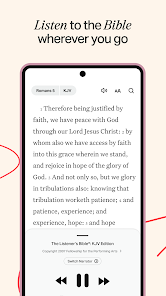
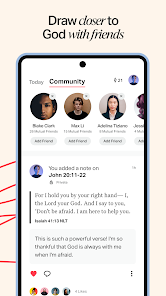
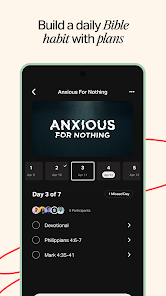
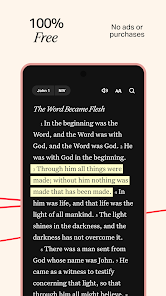
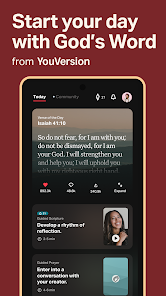
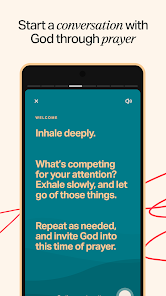
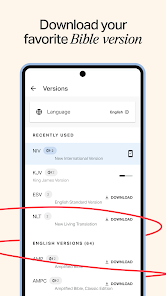
The Holy Bible mobile app is a mobile version of the Christian Bible that allows users to read, study, and navigate the Bible on their mobile devices. The app includes multiple translations of the Bible, including the King James Version and the New International Version, and offers a range of features to help users navigate and study the Bible. Some of these features include the ability to search for specific passages, bookmark your favorite passages, and access additional resources and study tools. The app also allows users to customize the font size, background color, and other settings to suit their preferences. The Holy Bible mobile app is available for download from the App Store and Google Play.
Features & Highlights
The Bible app has become my go-to companion for spiritual growth and daily inspiration. With its wide array of features, it’s designed to cater to both casual readers and serious students of the Word. Here are some of the standout features that I appreciate the most:
Real Experience Using Bible
Application Scenarios
My experience with the Bible app has been incredibly versatile, as I find myself using it in various scenarios throughout my week. In the mornings, I often start my day with a cup of coffee and a few minutes of quiet reflection using the app's reading plan. This peaceful routine sets a positive tone for my day. During lunch breaks at work, I take a few moments to read scriptures or listen to the audio Bible, allowing me to recharge spiritually amidst a busy schedule. Additionally, I’ve found it invaluable during church services where I can quickly look up verses that the pastor references, making my engagement much more profound.
User Experience
The user interface of the Bible app is clean and intuitive, making navigation a breeze. I appreciate how easy it is to switch between different translations and access my highlights and notes. The workflow is seamless; for example, if I’m reading a chapter and come across a verse I want to highlight, it only takes a couple of taps to mark it and add a note. Performance-wise, the app is responsive, with minimal loading times, which is crucial when I'm in a hurry. Overall, my feelings after using the app are overwhelmingly positive; it feels like a personal spiritual assistant, always ready to provide guidance and support.
Pricing
The Bible app is free to download and use, which is fantastic considering the wealth of resources it offers. While there are some in-app purchases available for specific features or Bible translations, I find that the free version is more than sufficient for my needs. I appreciate that I can access a wide range of scriptures and tools without any financial burden, making it accessible to everyone.
Updates & Support
The developers of the Bible app frequently roll out updates, enhancing features and improving user experience. I’ve noticed that they actively listen to user feedback, which shows their commitment to creating a top-notch app. If I ever encounter an issue, their customer support is responsive, addressing concerns quickly and effectively. This level of support gives me confidence in relying on the app for my daily scripture needs.
Security & Privacy Review
As an American user, security and privacy are paramount when using any app, and the Bible app does not disappoint. Downloading it from the official App Store or Google Play ensures that I am getting a legitimate product that prioritizes user security. The app requires minimal personal data for registration, which I appreciate, as it allows me to maintain my privacy while using the app freely. Unlike many other apps, I have not encountered intrusive ads or excessive tracking behavior within the Bible app. This focus on a seamless, ad-free experience allows me to concentrate on my spiritual growth without distractions.

 Access thousands of Bible translations anytime, anywhere. Experience immersive audio for engaging scripture listening. Customize reading plans to fit your personal journey. Highlight, bookmark, and share favorite verses easily. Join a community for discussions and spiritual growth.
 Limited offline functionality for audio access Audio quality may vary significantly User interface can be confusing for newcomers Frequent ads disrupt the reading experience
 Yes, YouVersion Bible App + Audio may collect personal data such as user preferences and activity to enhance the user experience, but it prioritizes user privacy and complies with data protection regulations.
YouVersion Bible App + Audio is completely free to download and use, with no trial period; all of its features are available at no cost.
While YouVersion Bible App + Audio offers many features that can be accessed offline, you will need an internet connection to download specific translations, audio files, and access certain features such as sharing and syncing.
You can contact support or send feedback for YouVersion Bible App + Audio through the app itself by accessing the settings menu, or by visiting the official YouVersion website for additional resources.
Since YouVersion Bible App + Audio does not have a subscription model, there is no need to manage or cancel any subscriptions; all services are available for free.
Yes, tap "Forgot Password?" on the login screen to receive instructions for account recovery via email.
No activation is necessary. Simply download the app, and it’s ready to use.
To change your login details, go to Settings > Account and follow the prompts to update your information.
You can contact customer service through the app by navigating to Settings > Help & Feedback. You can also visit their website for support.
Go to the settings in the app and enable the audio feature. Select the passage you want to listen to, and tap the audio icon.












 Google Play
  App Store