Category: Books & Reference
Developer: Goodreads
 Verified App


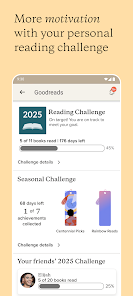
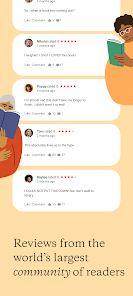
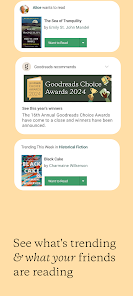
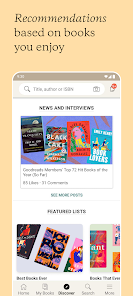
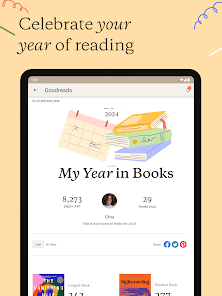
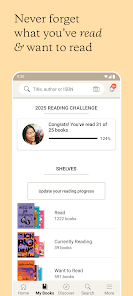
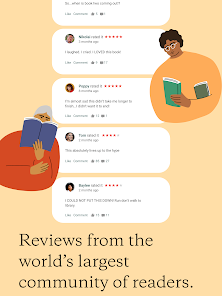
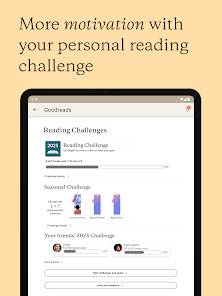
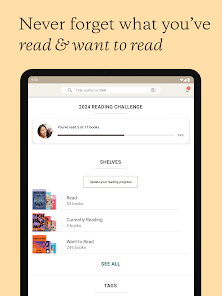
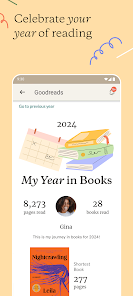
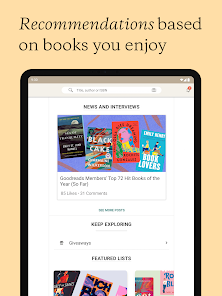
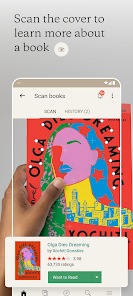
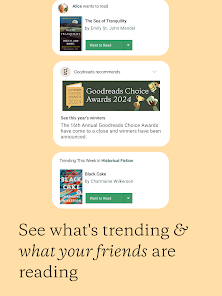
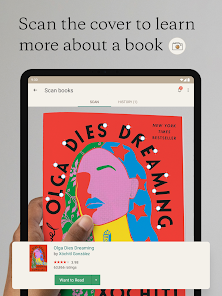
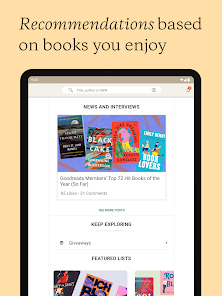
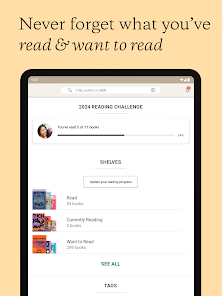
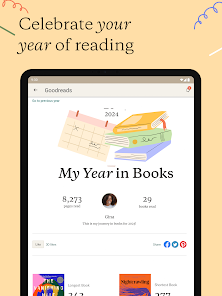
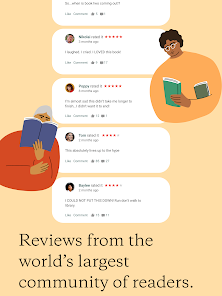
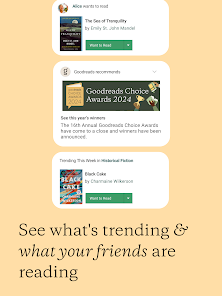
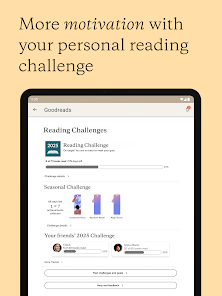
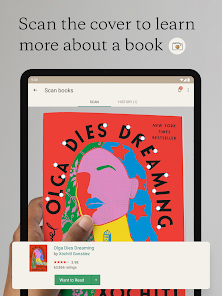
If you're an avid reader, chances are you've heard of Goodreads. Goodreads is a social networking site for book lovers. You can find and connect with friends, see what books they're reading, get recommendations, and even join book clubs.Goodreads has been around for a while (since 2007), but it's recently become even more popular thanks to some new features and improvements. In this post, we'll take a look at what Goodreads has to offer and how it can help you find your next great read.
Features & Highlights
Goodreads has carved a niche for itself as a must-have app for book lovers. With its unique blend of community features and personalized recommendations, it enhances the reading experience remarkably. Here are some of the core features that make Goodreads a standout:
Real Experience Using Goodreads
Application Scenarios
Goodreads has seamlessly integrated into my daily life as a bibliophile. Whether I’m at home, on my commute, or waiting in line, the app is always within reach. For example, while browsing a local bookstore, I often pull out the app to check ratings and reviews of books on my wishlist. This way, I can make informed decisions before investing my time and money. Additionally, during my downtime at work, I sometimes catch up on my Goodreads feed, discovering new releases and engaging in discussions with fellow readers. The ability to easily access my reading list and see what my friends are currently reading adds a layer of excitement to my reading routine.
User Experience
The user interface of Goodreads is intuitive and easy to navigate. Upon opening the app, I’m greeted with a clean layout that makes it simple to access my bookshelves, explore new titles, or check out my notifications. The feature workflows are seamless; for instance, adding a book to my 'Want to Read' shelf takes just a couple of taps. I appreciate the performance of the app, which is generally quick and responsive, even when I am scrolling through extensive lists of reviews. After using Goodreads for several months, I feel a sense of community and belonging. It’s not just about tracking my reading; it’s about connecting with others who share my passion for books.
Pricing
Goodreads is free to use, which is a significant advantage for book lovers. There’s no subscription fee, and users can enjoy all the core features without any financial commitment. However, there is a premium option available for those who want an ad-free experience. I find the free version sufficient for my reading needs, but I appreciate that the paid option exists for users who prefer a more streamlined experience.
Updates & Support
Goodreads is consistently updated to enhance user experience and address any bugs. I have noticed several improvements since I first started using the app, including better search functionality and more personalized recommendations. Customer support is readily available through their help center, where users can find FAQs and submit inquiries. I had a minor issue once, and the response from their support team was prompt and helpful, which made me feel valued as a user.
Security & Privacy Review
As an avid user of Goodreads, I’m mindful of security and privacy concerns. The app is available on both the App Store and Google Play, which provides assurance of safety during download. When signing up, you are required to provide basic personal information, such as your email address and a username. While I understand the need for this data to personalize my experience, I always prefer apps that offer transparency about how my information will be used.
Goodreads does not appear to be ad-heavy, which is a relief. However, like many social platforms, it may collect data on user interactions. This tracking behavior, though common, raises some privacy concerns. I recommend reviewing their privacy policy to understand the scope of data collection. Overall, I feel comfortable using Goodreads, but I remain vigilant about my digital footprint in any online community.

 Discover personalized book recommendations based on your reading preferences Easily track your reading progress and set annual reading goals Join a vibrant community to share reviews and connect with fellow readers Access extensive book ratings and reviews for informed reading choices Participate in engaging reading challenges and giveaways throughout the year
 Limited control over privacy settings may expose user data. Algorithmic recommendations can be inaccurate or misleading. User interface can be cluttered and overwhelming for new users.
  Google Play
  App Store
love that it keeps all my books that I read saved. and it helps me look up reviews on other books.
Great site for finding new authors and genres of books

Laugh out loud humor from MMC. Hallmark type storyline. Cute read
love this app
I really enjoy using Goodreads, but the app is disappointing. It is slow, frequently freezes, and often shows "Sorry, something went wrong" for no apparent reason. Loading books, reviews, and lists can take much longer than expected, and I often have to refresh several times before anything works. This has been happening for a long time and across different devices, so it doesn't seem to be a phone issue. Hope you'll do something to resolve this problem!
Review Source: Google Play store public user reviews.
Yes, users can submit suggestions or feedback through the app's support section or by contacting their customer service team directly.
Yes, the app collects personal data to enhance user experience, including preferences and reading habits, as outlined in their privacy policy.
Yes, users can access certain features of the app offline, such as viewing their reading lists and previously downloaded content.
Users can cancel their subscription through the app settings or their account settings on the website, following the provided instructions.
The subscription cost varies, but typically it offers premium features for around $5 per month or $50 per year.
If you can't log in, use the "Forgot Password" option to reset your password and access your account, where you can find your customer number.
If you can't access your account, contact customer service for help in changing your email address.
You can reach Goodreads customer service through the help center on their website or by emailing them directly.
To log in, visit the Goodreads website or app and enter your email and password associated with your account.
You can report issues with your reviews by visiting the Goodreads help center and submitting a support request.
This release contains bug fixes and other improvements.

KJV Bible: Audio+Verse
Bible

Bible For Women
Sky Map

Holy Bible, KJV Bible + Audio
Daily Bible - Verse+Audio
Merlin Bird ID by Cornell Lab

Wahy (Holy Quran)
Audiobooks.com: Books & More

Duomo: Bible & Daily Devotions

Novelmates-Stories&Novels

PSA | Pokémon and Sports Cards