
Version: 3.33.0
Developer: Cleo AI
 Verified App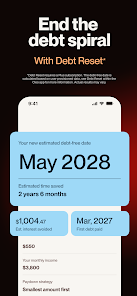
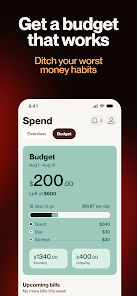
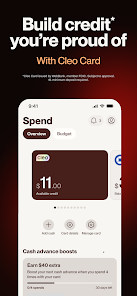


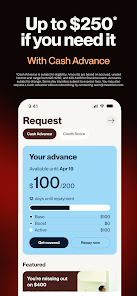

If you're looking for a new money management app, Cleo is a great option. Cleo is an AI-powered chatbot that helps you manage your finances and save money. You can connect Cleo to your bank account and credit cards, and she'll track your spending and help you stay on budget. She also offers personalized advice on how to save money.Cleo is free to use, and she's available 24/7. You can chat with her in English or Spanish. Cleo is a great option for anyone who wants to save money and get their financial life in order.
Features & Highlights
Cleo is more than just a budgeting app; it’s like having your very own financial assistant right in your pocket. With its unique blend of features designed to simplify your financial life, Cleo stands out among its competitors. Here are some core features that truly make it shine:
Real Experience Using Cleo
Application Scenarios
In my daily life, I often find myself juggling multiple financial responsibilities, from paying bills to saving for a big vacation. Cleo has become an integral part of my routine. For example, every month, I set aside time to review my finances using the app. I open Cleo while sitting on my couch with a cup of coffee, and I quickly get an overview of my spending habits and savings goals. This regular check-in allows me to adjust my budgets and ensure I’m on track. Additionally, whenever I plan to buy something significant, I consult Cleo to see how that purchase fits into my budget.
User Experience
The user interface of Cleo is bright, engaging, and user-friendly. I particularly love how easy it is to navigate through different features. Whether I want to check my spending insights or set a new savings goal, everything is just a few taps away. The workflow feels seamless, and I appreciate the visual representations of my budget that make it easy to understand where my money is going. Performance-wise, the app runs smoothly without any crashes or lag, which is a huge plus. Overall, using Cleo feels like a breeze, and I often find myself enjoying the experience rather than viewing it as a chore.
Pricing
Cleo offers a free tier, which is pretty robust for basic budgeting needs. However, if you’re looking for advanced features like the ability to connect multiple bank accounts or access premium insights, you can opt for Cleo Plus. The subscription is reasonably priced, especially considering the value it adds to my financial management experience. I find the premium features worth the investment for anyone serious about improving their financial health.
Updates & Support
Cleo is consistently updated, which is great because it shows that the developers are committed to improving the app. I’ve noticed new features rolling out regularly, and they often listen to user feedback. Whenever I’ve had questions or issues, their customer support has been prompt and helpful, typically resolving my concerns within a day or two. It’s comforting to know that I can rely on their support whenever I need it.
Security & Privacy Review
As an American user, security and privacy are top priorities for me when using financial apps. Cleo is available on both the App Store and Google Play, which adds a layer of trust. During the registration process, I was required to provide basic personal information, which felt standard for financial apps. Cleo utilizes bank-level encryption to protect my data, ensuring that my financial information is secure.
Moreover, Cleo is transparent about its data usage policies. Unlike some apps that bombard you with ads or track your behavior excessively, Cleo focuses on providing a user-friendly experience without intrusive advertisements. They do collect data to improve their services, but you have control over your privacy settings, making it a trustworthy option for anyone concerned about their financial data.

 Cleo AI offers personalized budgeting tailored to your spending habits. Track your expenses effortlessly with real-time insights and notifications. Build your credit score with guided tips and resources. Enjoy engaging features that make financial management fun and interactive. Access financial guidance any time, enhancing your money management skills.
 Limited investment options may hinder long-term financial growth User experience can be confusing for beginners Reliance on data may compromise privacy and security concerns
  Google Play
  App Store
 Yes, users can submit suggestions or feedback through the app's feedback feature or by contacting Cleo's customer support directly.
Yes, Cleo AI: Budget & Build Credit collects personal data to provide tailored financial advice and services, but it prioritizes user privacy and security.
Cleo AI: Budget & Build Credit primarily requires an internet connection to access real-time data and insights, so offline use is limited.
Users can cancel their subscription through the app settings or by managing their subscription in the respective app store (iOS or Android) where they initially subscribed.
The subscription cost for Cleo AI: Budget & Build Credit varies based on the plan chosen, with options for monthly or annual payments, typically starting around $5 per month.
Yes, you can activate your account by following the prompts in the app after signing up.
You can reach customer service through the app's help section or by emailing support
To keep your login information secure, use a strong password and enable two-factor authentication in the app settings.
Open the app and enter your email and password on the login screen to access your account.
If your customer number is incorrect, please contact customer service to have it updated.