Version: 4.23.1
Developer: Varo Bank, N.A.
 Verified App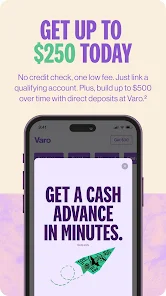

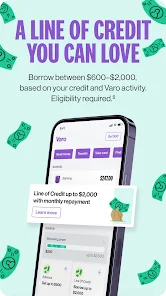
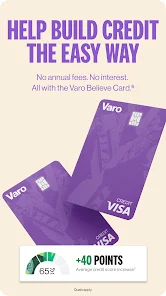
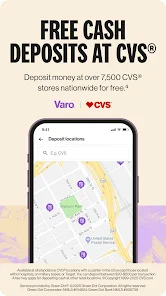
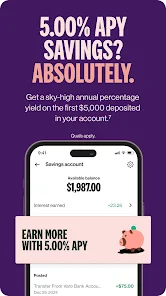
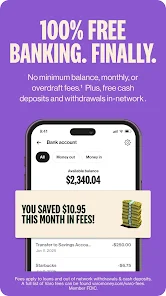
Varo Bank is a mobile banking app that allows users to manage their finances on the go. It offers a variety of features, including budgeting tools, real-time spending insights, and the ability to transfer money to friends and family. The app also provides access to a variety of banking services, such as direct deposits, bill pay, and ATM withdrawals.
Features & Highlights
Varo Bank offers a fresh take on mobile banking, designed for those who want a seamless digital experience without the hassle of traditional banking. Here are some core features that make Varo stand out:
Real Experience Using Varo Bank: Mobile Banking
Application Scenarios
My experience with Varo Bank has been nothing short of transformative. On a typical weekday, I wake up and check the app to see if my paycheck has deposited. Thanks to Varo's early direct deposit, the funds are usually there, allowing me to tackle my day without financial stress. During lunch, I often transfer some money to my savings account while waiting in line at my favorite café. The entire process takes just a few taps, which feels refreshingly easy compared to my previous banking experiences.
On weekends, I utilize Varo's budgeting tools to analyze my spending from the previous week. I can easily categorize expenses, which helps me set limits for dining out and entertainment. When I'm out with friends, I appreciate the instant transfer feature, as it allows me to settle up quickly without fumbling for cash.
User Experience
The user interface (UI) of the Varo app is sleek and modern, making navigation intuitive. Upon logging in, I’m greeted with a clean dashboard displaying my account balances, recent transactions, and savings progress. The app's workflow feels fluid, and I appreciate the minimalistic design that doesn’t overwhelm me with information. Transactions load quickly, and I’ve never experienced any lag or crashes during my time using it. Overall, my feelings toward the app are overwhelmingly positive; it feels like a breath of fresh air in the often-clunky world of digital banking.
Pricing
One of the most appealing aspects of Varo Bank is its pricing structure. There are no monthly maintenance fees, which is a relief for someone like me who has been accustomed to hidden charges with traditional banks. The high-yield savings account also doesn’t require a minimum balance, allowing users to earn interest without the pressure of maintaining a certain amount. This has made managing my finances simpler and more cost-effective.
Updates & Support
Varo Bank is committed to enhancing its user experience, as evidenced by regular updates that introduce new features and improve existing ones. Whenever I have a question or encounter an issue, the customer support team is responsive and helpful. I’ve reached out via the in-app chat feature, and I was pleasantly surprised by the quick response time. The support resources, including FAQs and tutorials, are easy to access and navigate, making it simple to find answers when needed.
Security & Privacy Review
As an American user, security and privacy are paramount for me when it comes to banking apps. Varo Bank's app is available on both the App Store and Google Play, which adds a layer of credibility and trustworthiness. The registration process is straightforward but requires personal data like your Social Security number and contact information to ensure account security. This is standard for a financial app, and I appreciate that Varo has implemented robust security measures to protect my data.
Regarding ads and tracking behavior, Varo maintains a user-friendly experience without overwhelming users with targeted advertisements. I’ve not experienced any intrusive tracking, which is a relief in today’s digital landscape. Overall, Varo Bank gives me confidence that my personal and financial information is secure while providing a seamless banking experience that fits my lifestyle.

 No monthly fees, maximizing your savings potential User-friendly app for easy account management anytime High interest rates on savings boost your earnings Early direct deposit for quicker access to funds 24/7 customer support for personalized assistance when needed
 Limited customer support options can lead to frustration during urgent issues. No physical branches may hinder access for those preferring in-person banking. Fee structures can be confusing, potentially leading to unexpected charges.
  Google Play
  App Store
 Yes, users can submit suggestions or feedback through the app or by contacting customer support via the website or app.
Yes, Varo Bank collects personal data as part of its account setup and transaction processes, but it is committed to protecting user privacy and data security.
Varo Bank: Online Banking requires an internet connection to access its services and features, so it does not support offline use.
Since Varo Bank does not have a subscription model, users can simply stop using the app, but they must close their accounts through the app or customer service for complete cancellation.
There is no subscription fee for using Varo Bank: Online Banking, as it operates without traditional banking fees.
Your customer number is unique and cannot be changed. If you need assistance, please contact customer service.
You can reach Varo Bank customer service through the app, or by visiting our website for chat and email support.
You can update your customer information by logging into your account and navigating to the profile settings section.
To activate your account, simply follow the instructions in the activation email you received after signing up.
You can log in to your Varo Bank account by entering your email and password on the login page of the app or website.